

Overview
HqO’s Discounts feature empowers property teams to offer percentage-based discounts on paid resources and events to selected tenants. Whether you're looking to incentivize bookings, reward loyal tenants, or run a seasonal promotion, the discount tool gives you full control over who receives the discount, what it applies to, and for how long.
What’s Included
-
Apply percentage-based discounts to any paid resource (e.g., desks, meeting rooms) or event.
-
Choose which tenants or users are eligible for the discount.
-
Define a custom display reason to communicate why a user is receiving the discount.
-
Control which days of the week the discount applies.
-
Set start and end dates for each discount (or keep it open-ended).
How to get started
-
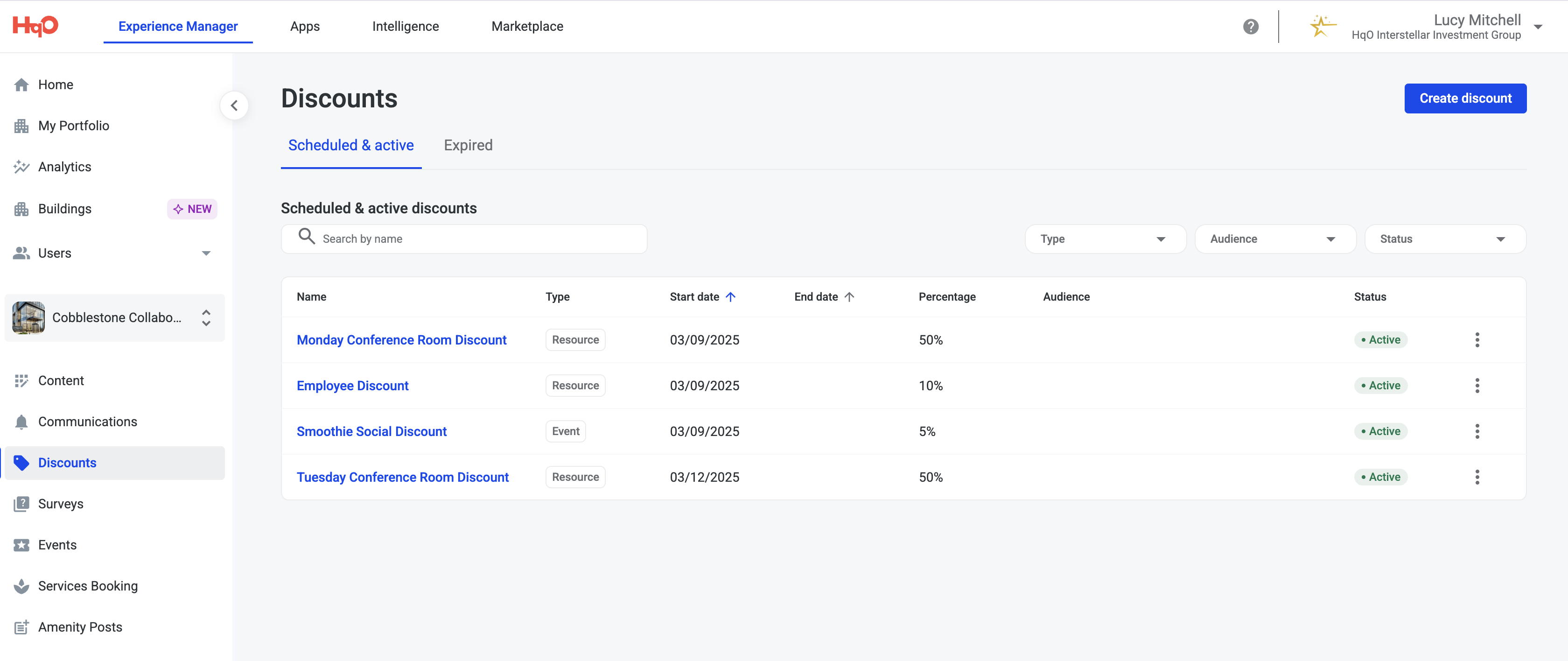
Navigate to Discounts
-
Go to the left navigation menu in the HqO Admin Console.
-
Under Experience Manager, select Discounts, then click Create.
-
-
Fill Out Discount Info
-
Name: A backend-friendly name for internal use.
-
Display Name: Shown to the tenant in the app (e.g., “50% Off This Week Only!”).
-
Description: Optional; helps you remember the purpose of the discount.
-
-
Set Eligibility
-
Choose the Audience (specific tenant companies, user groups, or buildings).
-
Users will automatically receive the highest discount if they are eligible for more than one.
-
-
Set Discount Value
-
Enter the percentage (e.g., 50).
-
Choose to apply the discount to Resources or Events.
-
Select the specific resources or events the discount applies to.
-
Choose the days of the week the discount will be active (e.e., Monday only discount to incentivize use on slower days).
-
-
Schedule the Discount
-
Set a Start Date for when the discount becomes active.
-
Optionally, set an End Date if the discount is time-bound.
-
-
Click “Create” to publish your discount.
What Tenants See
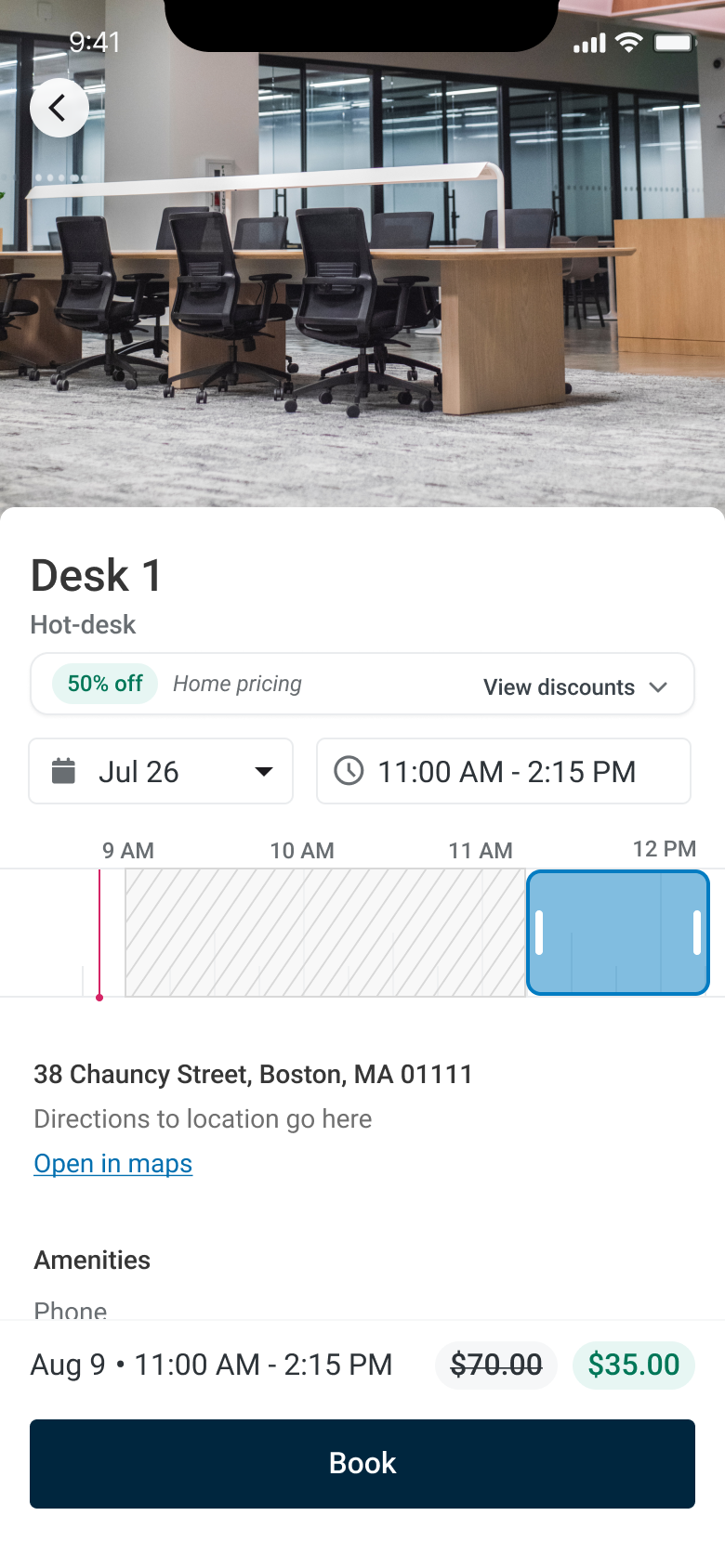
When a tenant books a discounted resource or event:
-
A badge like “50% Off” will appear on the booking screen.
-
The original price is struck through and the discounted price is shown (e.g.,
$70.00→ $35.00). -
If a display name was added, it will appear under the discount badge (e.g., "Home pricing").
Tips for Success
-
You must first define the audience before assigning a resource.
-
Discounts will not stack; users will always get the best available discount.
-
Need to run recurring promotions? Duplicate an existing discount and adjust the dates.