

Below is an overview of the settings offered in HqO Visitor Management
General settings
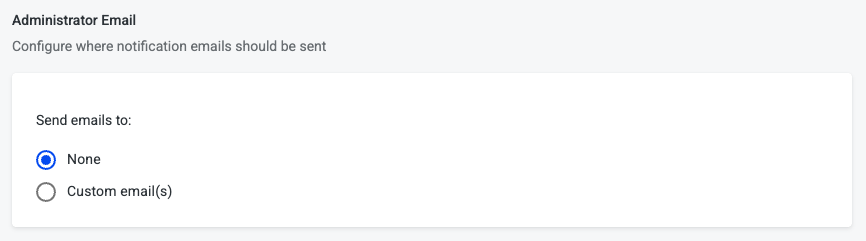
Administrator email
Configure where notification emails should be sent
-
None
-
Custom email(s) - Allows for all visitor host notifications to be sent to a custom email
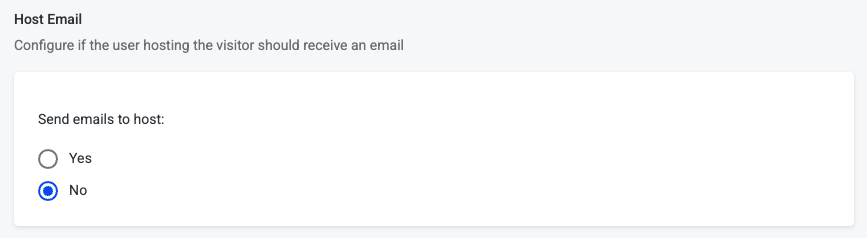
Host email
Configure for this building if the user hosting the visitor should receive an email
-
If yes, then host will receive visit emails
-
If no, then host will not receive visit emails - default
Visitor Fields
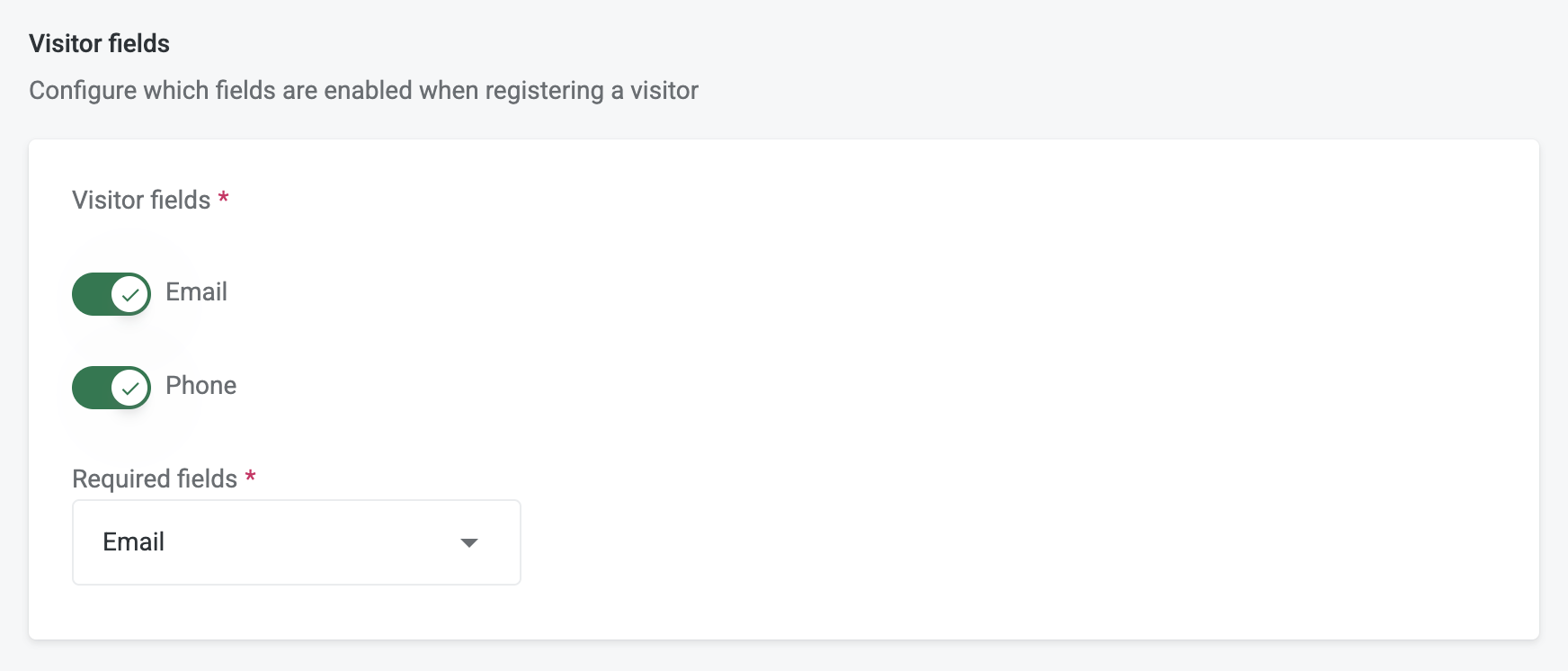
Configure which contact information is asked for and required when registering a visitor
-
Visitor fields - These are the contact information options displayed on the visitor registration form
-
Email
-
Phone
-
-
Required fields - These are the contact information that are required when registering a visitor
-
Both email and phone
-
Email
-
Phone
-
Either email or phone (User can enter one or the other)
-
None
-
Check-in default
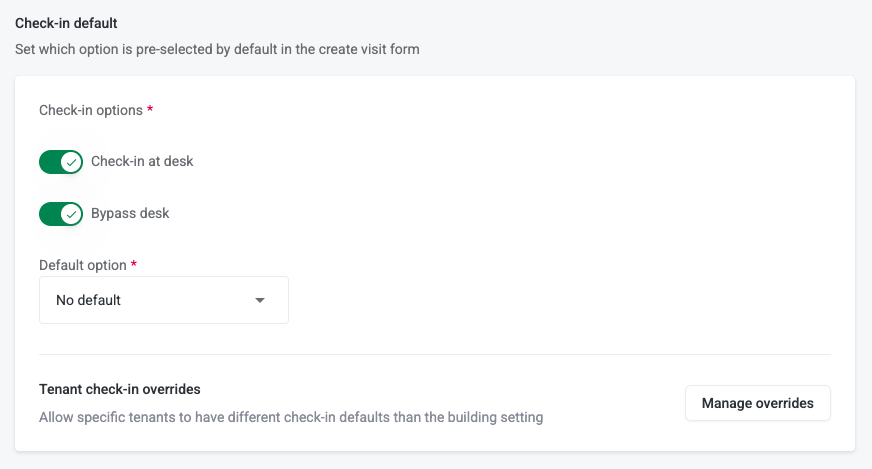
This configuration allows administrators to define how visitors are expected to check in when creating a visit in the system.
-
Check-in Options: Admins can enable one or both options for the building:
-
Check-in at desk – visitor must check in with security or reception upon arrival. QR Code is not active until security checks in the visitor.
-
Bypass desk – visitor can skip the front desk and go directly to their destination.
-
-
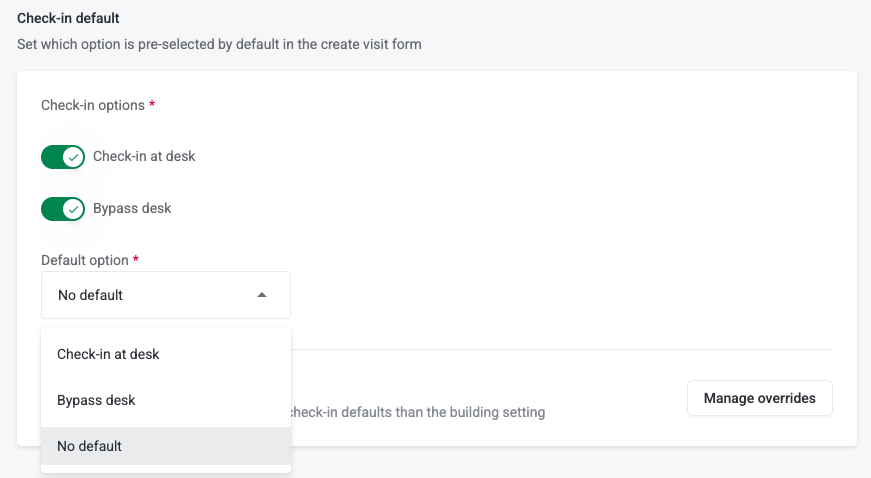
Default Option: Determines which check-in option is automatically pre-selected in the visit creation form. If both check in options are enabled then, admins can choose a specific default (e.g., “Check-in at desk”) or leave it as No default so hosts must select manually.
-
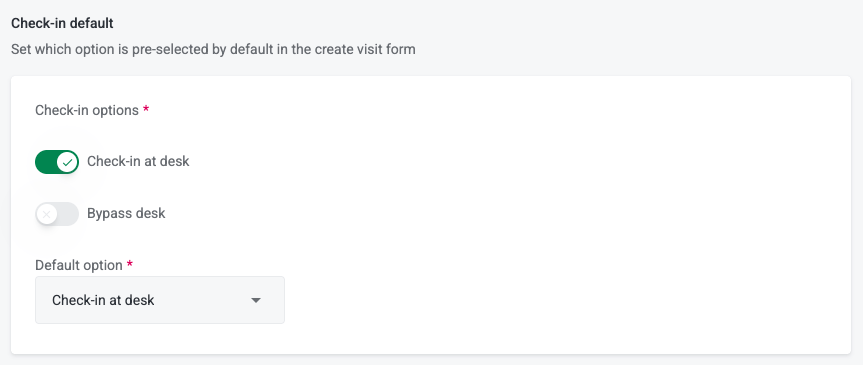
If only one check in option is enabled then, the default is limited to that option.
-
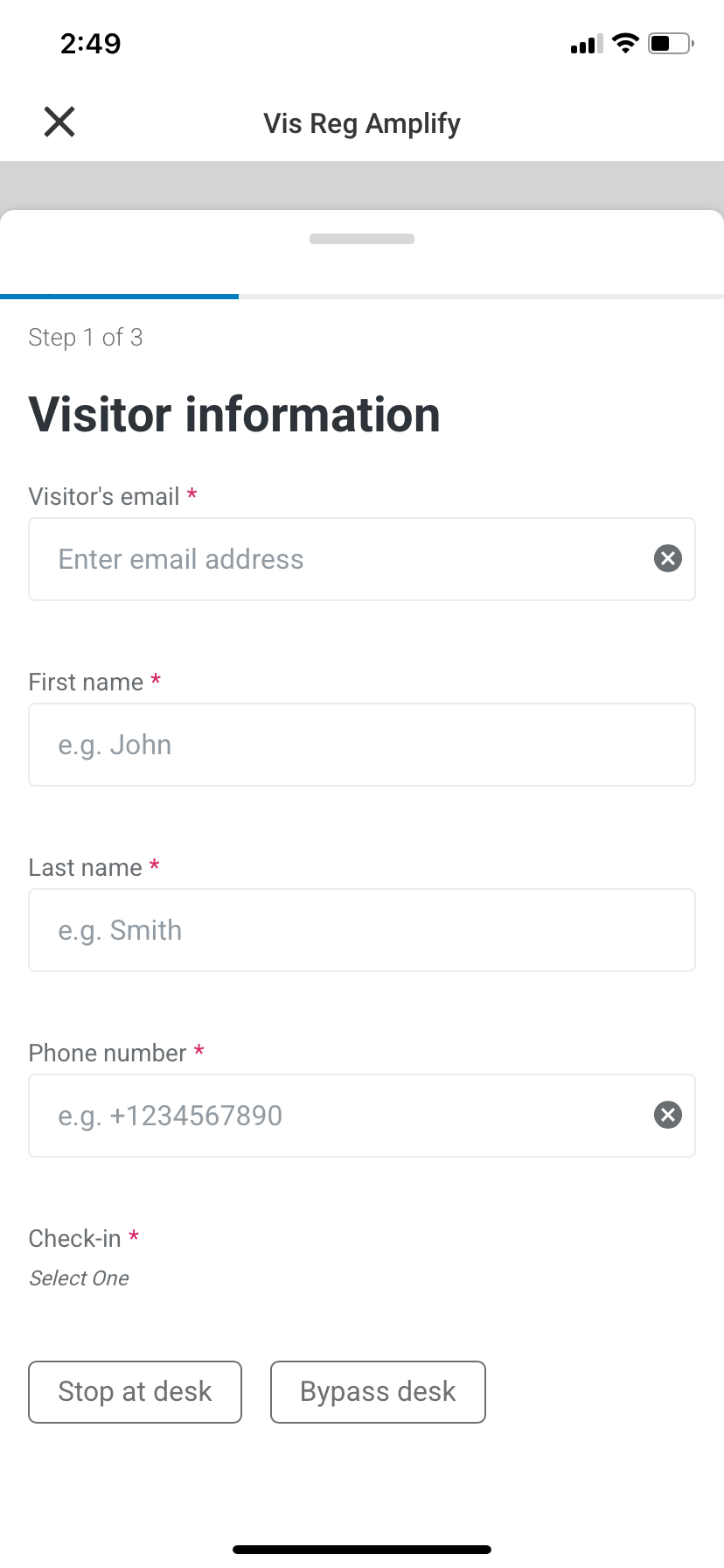
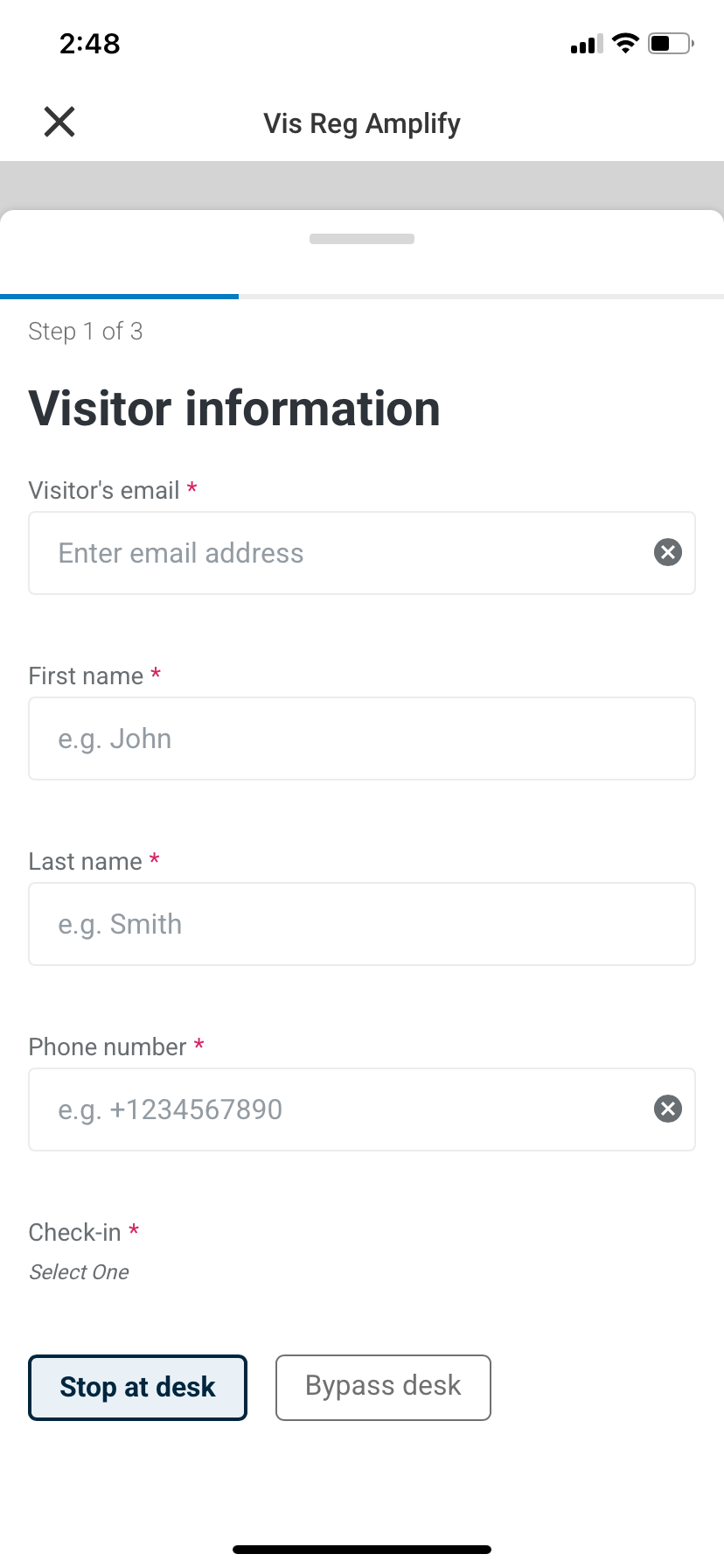
The host will see information regarding the check-in options
Multiple check-in options (No default)
Multiple check-in options (With a default option)
Bypass desk
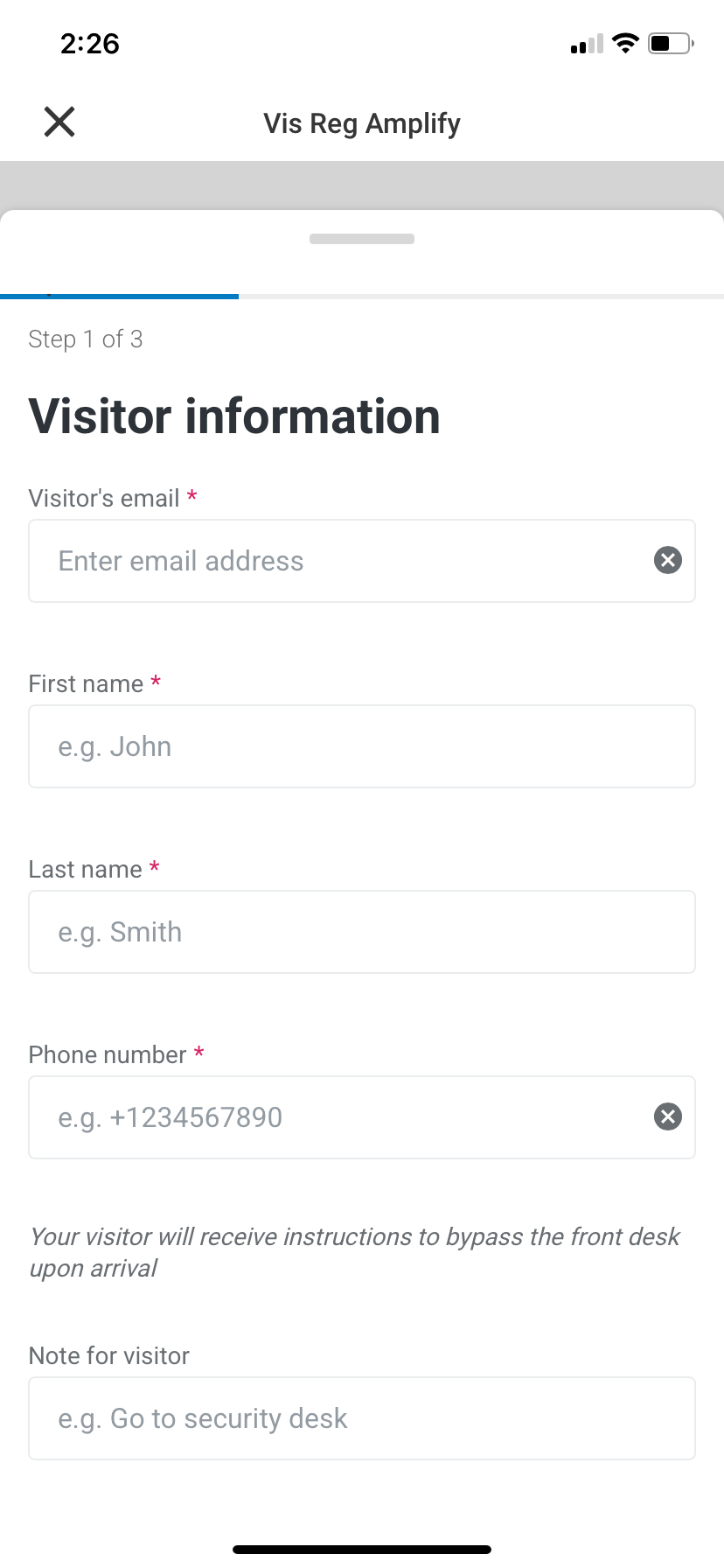
Check-in at desk
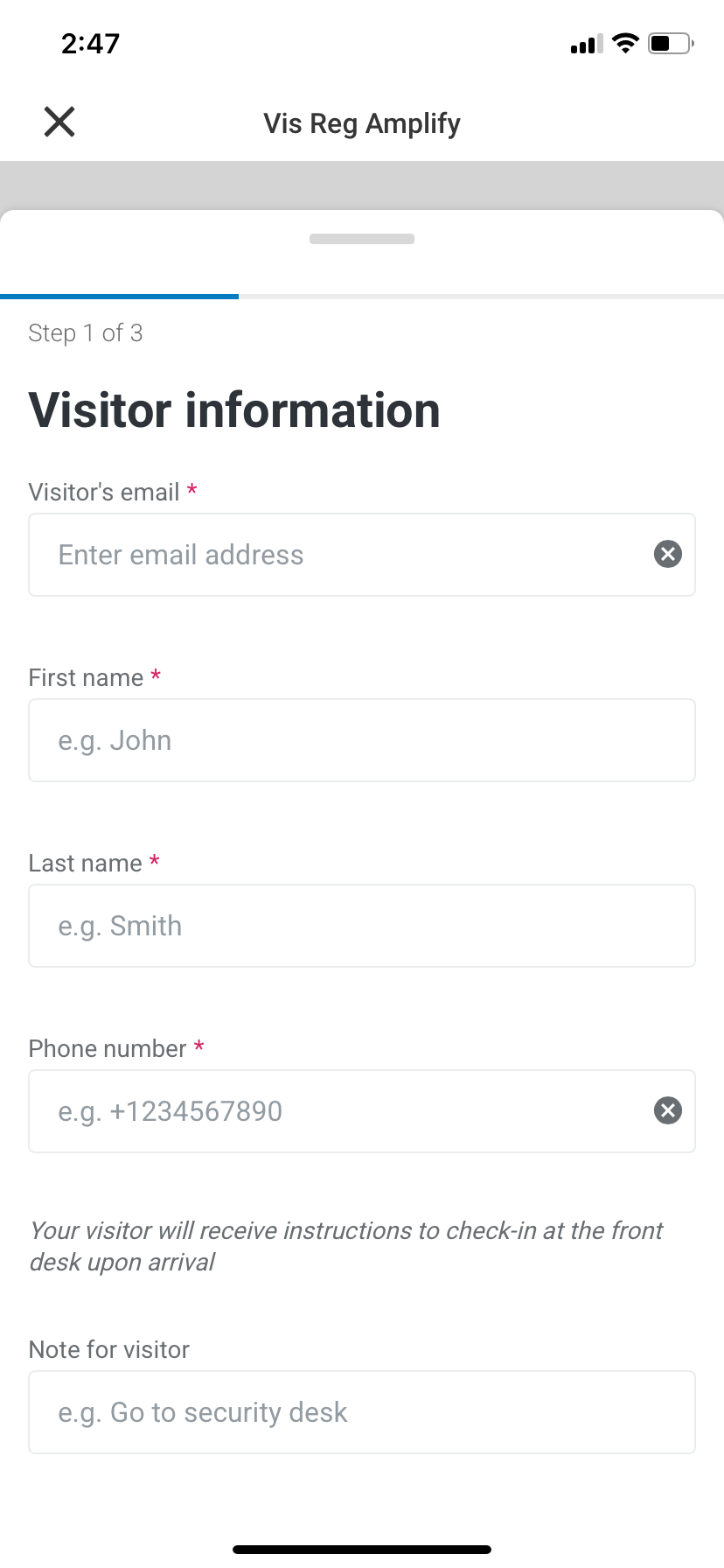
-
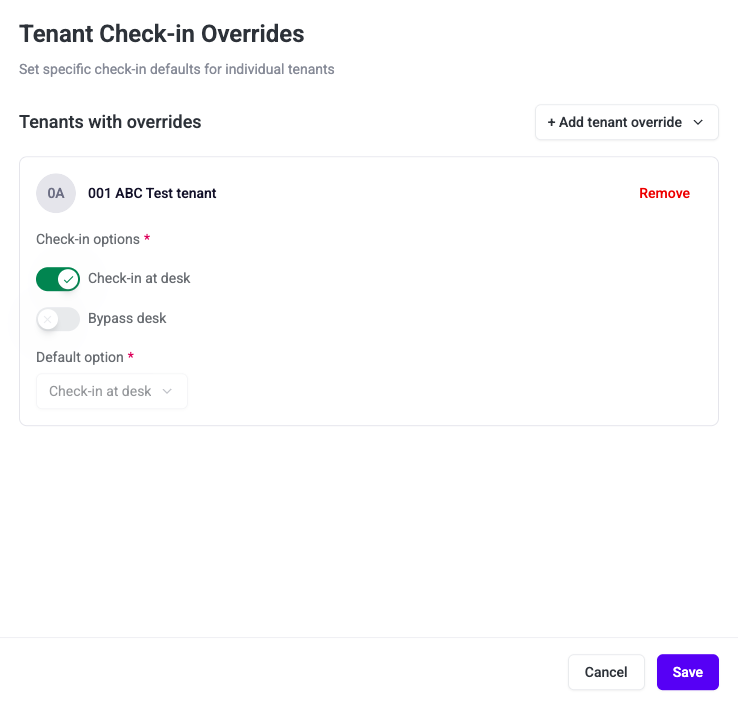
Tenant Check-in Overrides: Enables exceptions at the tenant level. If the building offers both check-in options then specific tenants can be assigned different check-in defaults than the building-wide setting (e.g., one tenant may require all visitors to check in at the desk, while another allows bypass)
Date & time for visitor invitations
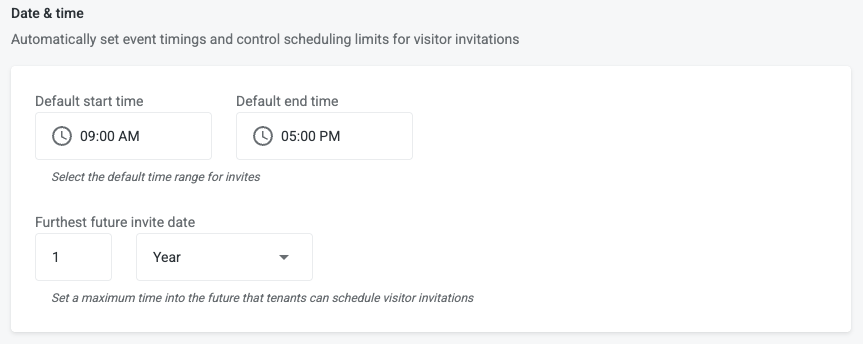
Default start time & Default end time
-
Define the Default start time and end time for visitor invites (e.g., 9:00 AM–5:00 PM)
-
If the visit is created for today, after the Default start time then the Default start time will be the current time rounded down 5 minutes
-
If the visit is created for a future date, then the visit start time and end time will be what is configured as the default
-
Furthest future invite date
Set a maximum time into the future that tenants can schedule visitor invitations
-
Set a maximum time into the future (e.g., 12 months) that tenants can schedule visitor invitations.
-
Default = 1 year
-
Configurable by days, months, years
-
Notes
Communicate with the visitors by allowing custom notes to be added to a visit invitation

-
Enable toggle to enable notes
Alternative host
Allows for an alternate user to be selected as the host. This is to ensure that the true host receives notifications regarding the visit even if they are not the user who set up the visit.

-
Enable toggle to enable alternative host
-
Disabled by default
-