

Overview
The XM Admin portal allows you to set a primary and a secondary color to include your branding throughout the app.
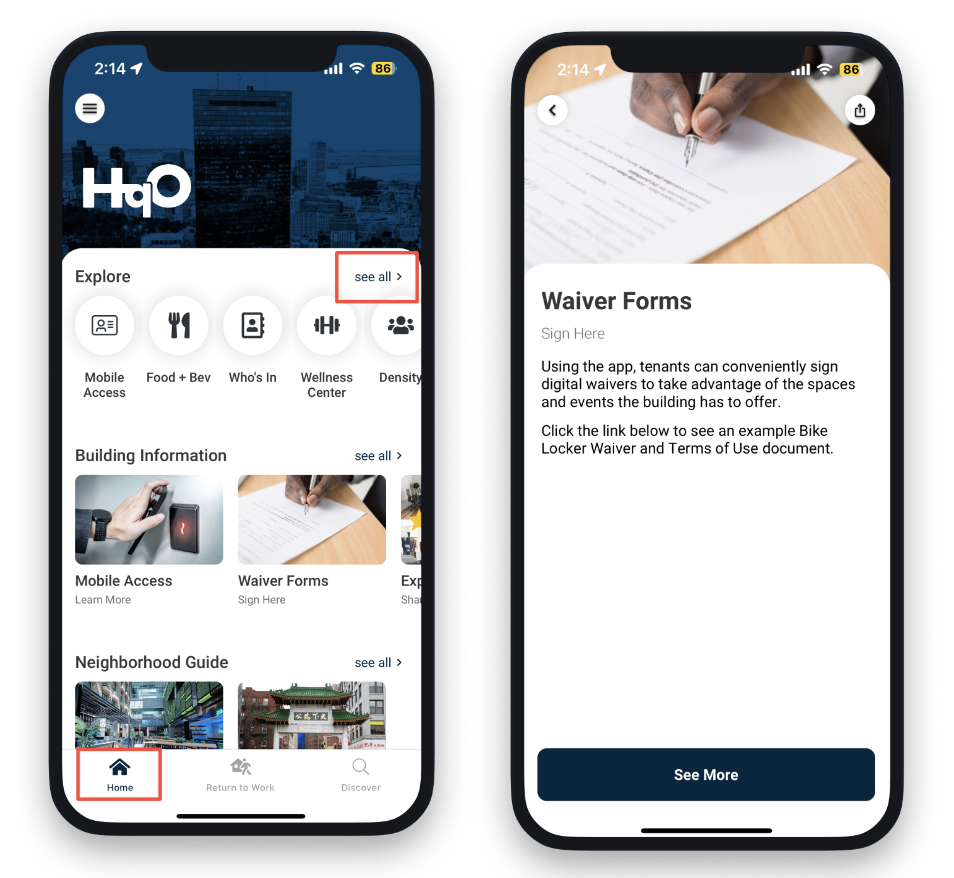
Primary Color
-
The primary color shows on CTA buttons and active navigation.
-
“See All” font color on the home screen
-
Bottom navigation button color
-
Call to Action button color within pieces of content
-
Secondary Color
-
The secondary color shows on link out color within pieces of content for rich text content. Custom builder does not.
To set your primary & secondary colors, please reach out to your HqO Implementation Manager/CSM.