

Overview
The navigation has been updated to increase usability & improve organization.
-
Efficient Navigation: Users can quickly locate and switch between high-level categories and more detailed subcategories without backtracking, making the navigation process more intuitive and less time-consuming.
-
Clear Hierarchy: Top navigation can display broad categories or functionalities, while the left navigation can drill down into more specific areas. This helps in structuring the content more logically, making it easier for users to understand the organization of the site.
-
Quick Access: Elements in both the top and side bars are readily accessible, providing quick paths to frequently used functions or sections, which can be particularly beneficial for power users.
Key Features
-
Top Navigation: streamlines access to HqO products, so that you can quickly navigate to key product-related features and functionalities, enhancing overall usability and efficiency.
-
Left Navigation: allows you to easily understand and engage with the available tools for each product.
HqO Admin Experience
Top Navigation
The Top Navigation is organized by the products of the HqO Platform:
-
Experience Manager - the only asset-agnostic, cross-property type experience management system enabling you to deliver excellent and consistent end-user experiences across properties
-
Apps - ability to manage the operations and technology of properties and their corresponding workflows
-
Intelligence - the industry standard for measuring and assessing the health and performance of a customer’s experience within a property
-
Marketplace - provides you access to a growing catalog of the most impactful and desired services, products, and amenity partners to optimize the experiences of their space end-users
When a Top Navigation item is selected, it will appear in the active state with bolded purple text and a purple indicator below.

Top Navigation Permissions
The products shown in the Top Navigation are available based on a user’s roles.
Below is the list of products available in the Top Navigation. The product and it’s features are available to the roles marked with an X.
|
Top Navigation |
Roles |
||||||
|---|---|---|---|---|---|---|---|
|
Product |
User Admin |
Manager |
Operator |
Notifier |
Programmer |
Viewer |
Intelligence |
|
Experience Manager |
X |
X |
X |
X |
X |
X |
N/A |
|
Apps |
N/A |
X |
X |
N/A |
N/A |
N/A |
N/A |
|
Intelligence |
Info only |
Info only |
Info only |
Info only |
Info only |
Info only |
X |
|
Marketplace |
X |
X |
X |
X |
X |
X |
N/A |
Left Navigation
Left Navigation Behavior
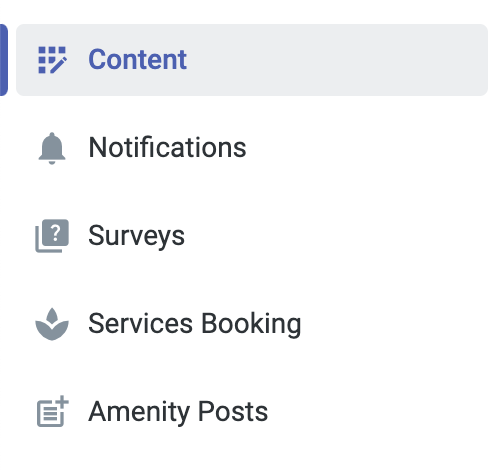
When a Left Navigation item is selected, it will appear in the active state with bolded purple text and a purple indicator to the left and medium grey highlight.
Each Left Navigation item has a product icon to align with the tool.
Click the carrot to open and close the menu
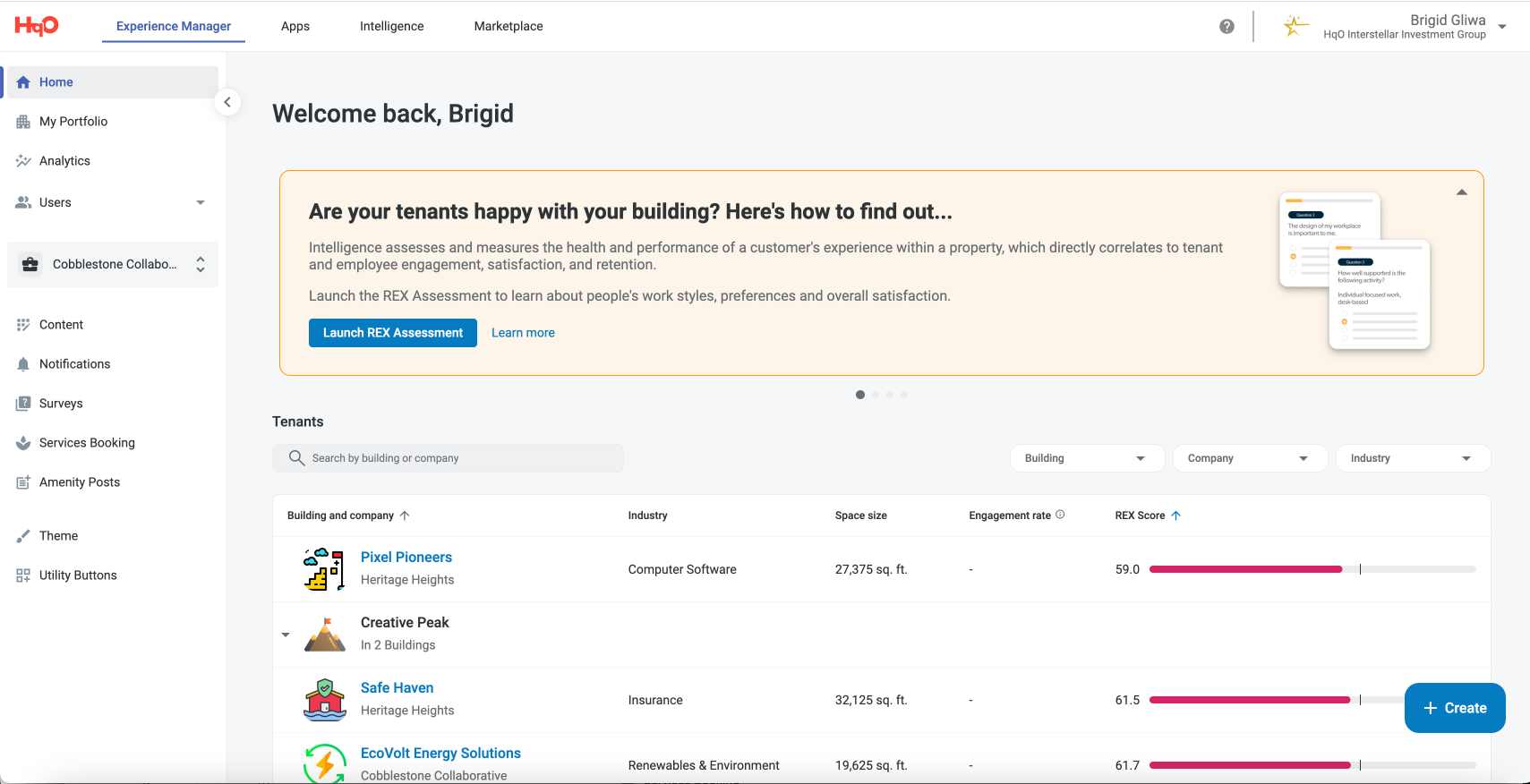
Left Navigation Expanded
-
Expanded is the default Left Navigation behavior on Home and Management pages of Experience Manager
-
Expanded is the default Left Navigation behavior on Home and Management pages of Apps
-
Expanded is the default Left Navigation behavior on REX Assessment and About Intelligence pages of Intelligence
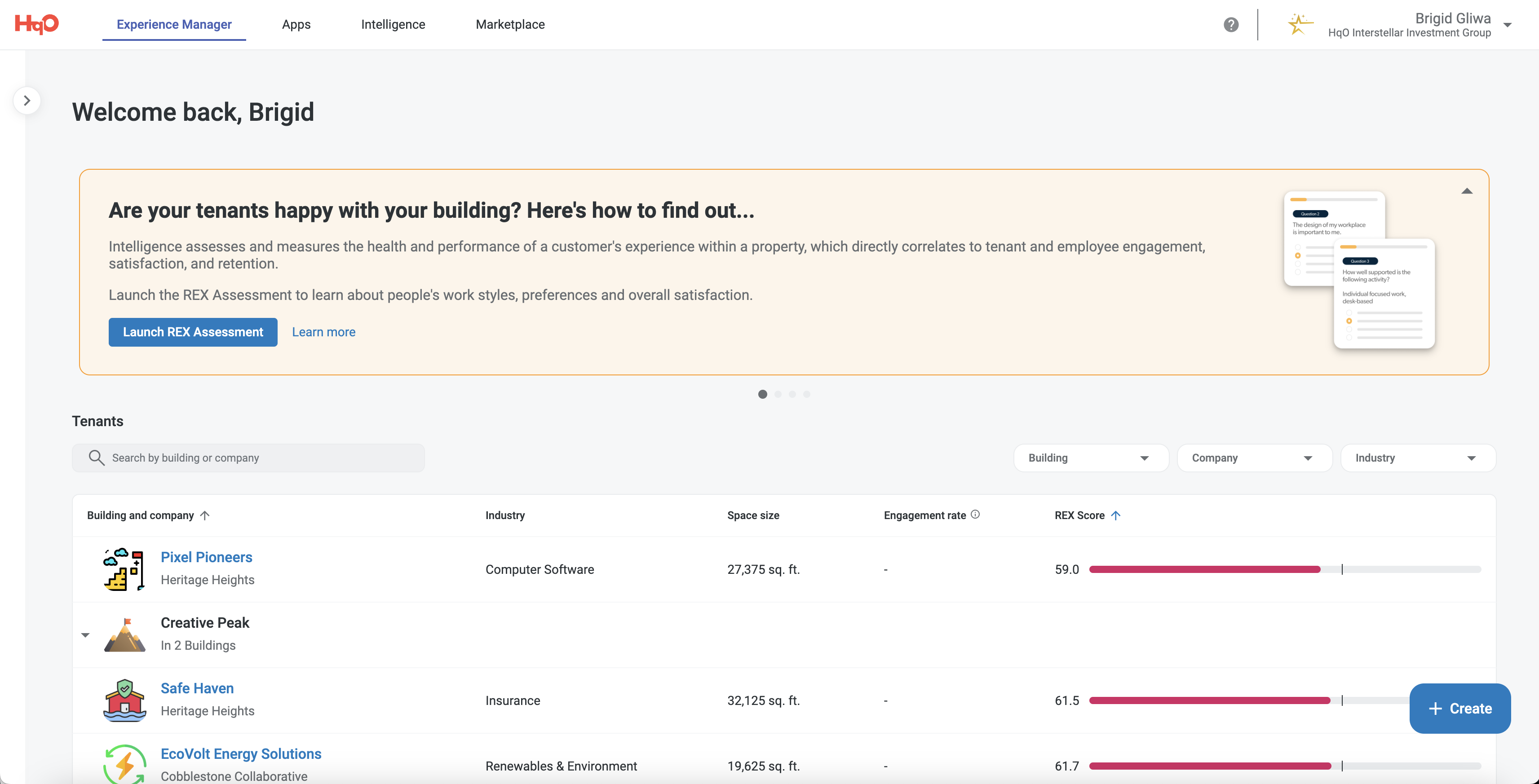
Left Navigation Collapsed
-
Collapsed is the default Left Navigation behavior on Edit pages of Experience Manager
-
Collapsed is the default Left Navigation behavior on Edit pages of Apps
-
Collapsed is the default Left Navigation behavior on Intelligence page of Intelligence
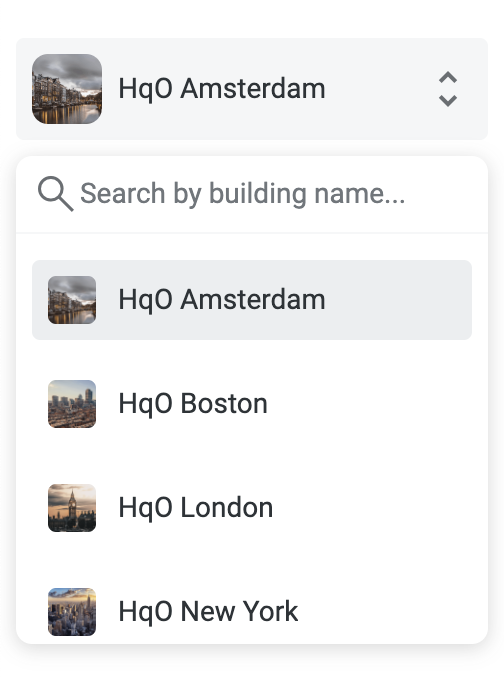
Building Picker
-
On click, opens with search & building names
-
Building names sorted 0-9, A-Z
-
Ability to search by building name
-
Click x to clear the search field
-
-
If you hover on truncated text, shows tool tip with whole building name
-
Click the building name to select the building
-
Click off to collapse Building Picker
Experience Manager
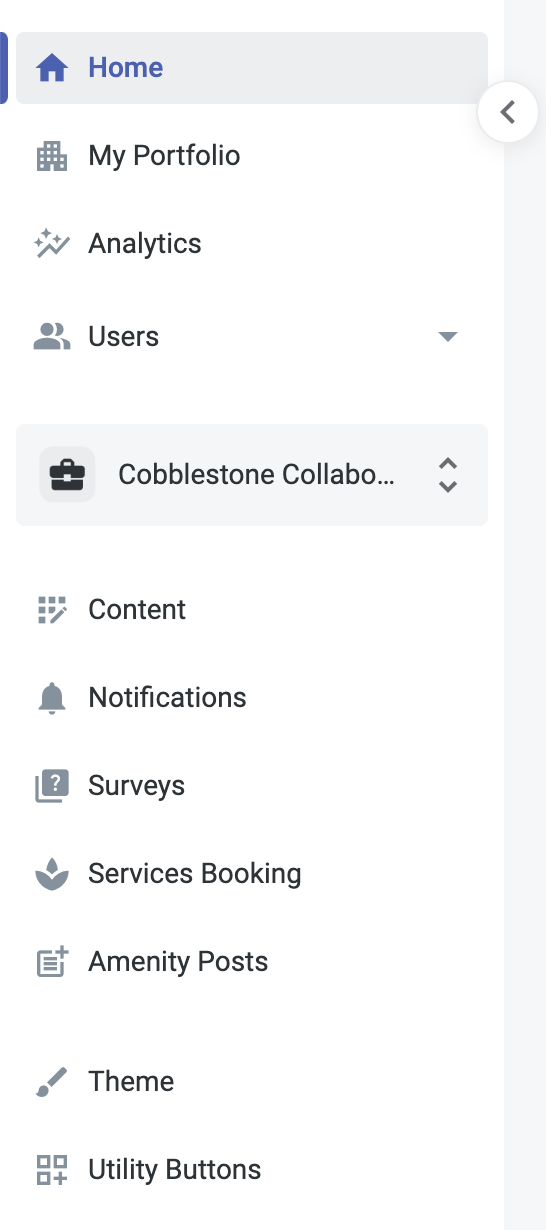
The Left Navigation of Experience Manager is organized by:
-
Portfolio level functions and insights such as Home, Analytics, Marketplace and User Management
-
Building picker which allows you to select the building you are managing
-
Communication functions such as Content, Events, Notifications Surveys, and Services
Experience Manager - Left Navigation Permissions
|
Experience Manager Left Navigation |
Roles |
||||||
|---|---|---|---|---|---|---|---|
|
Parent Page |
Child Page |
User Admin |
Manager |
Operator |
Notifier |
Programmer |
Viewer |
|
Home |
|
X |
X |
X |
X |
X |
X |
|
Analytics |
|
|
X |
|
|
|
X |
|
Users |
|
|
|
|
|
|
|
|
|
Audiences |
|
X |
X |
|
X |
View only |
|
|
Users |
X |
View only |
View only |
|
View only |
View only |
|
|
Companies |
X |
X |
X |
|
View only |
View only |
|
Content |
|
|
View only |
|
|
X |
View only |
|
Notifications |
|
|
|
|
X |
|
|
|
Surveys |
|
|
|
|
|
X |
|
|
Services Booking |
|
|
|
|
|
X |
|
|
Amenity Posts |
|
|
View only |
|
|
X |
View only |
|
Theme |
|
|
X |
|
|
|
|
|
Utility Buttons |
|
|
Coming Soon |
|
|
|
|
|
Connected Apps |
|
|
|
|
|
|
|
Apps
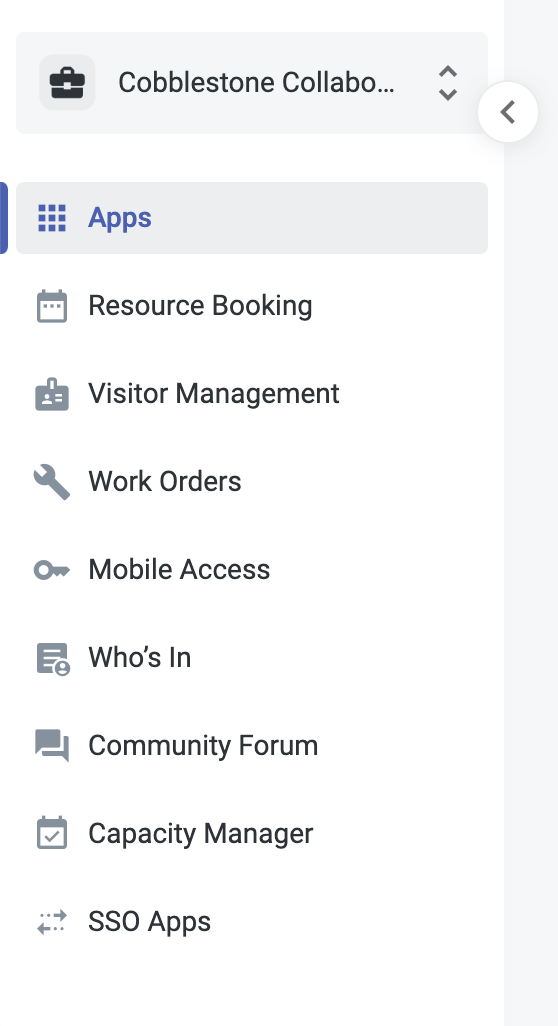
The Left Navigation of Apps is organized by:
-
Operational functions such as Resource Booking, Visitor Management, Work Orders, and SSO Apps
-
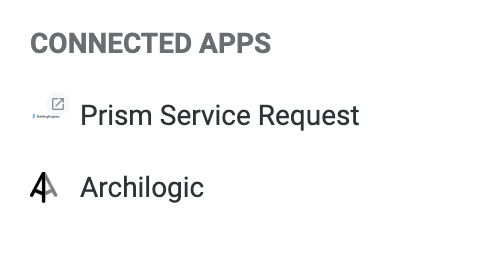
Connected Apps are 3rd party technologies that are enabled for the building
Connected Apps
List of 3rd party technologies that are enabled for the building
-
Apps can be set up with a link to 3rd party admin site. Clicking the app will open the admin site in a new tab.
Apps - Left Navigation Permissions
|
Experience Manager Left Navigation |
Roles |
||||||
|
Parent Page |
Child Page |
User Admin |
Manager |
Operator |
Notifier |
Programmer |
Viewer |
|
Resource Booking |
|
|
X |
X |
|
|
|
|
Visitor Management |
|
|
X |
X |
|
|
|
|
Work Orders |
|
|
|
X |
|
|
|
|
Mobile Access |
|
|
X |
X |
|
|
|
|
Who’s In |
|
X |
X |
X |
|
X |
X |
Intelligence
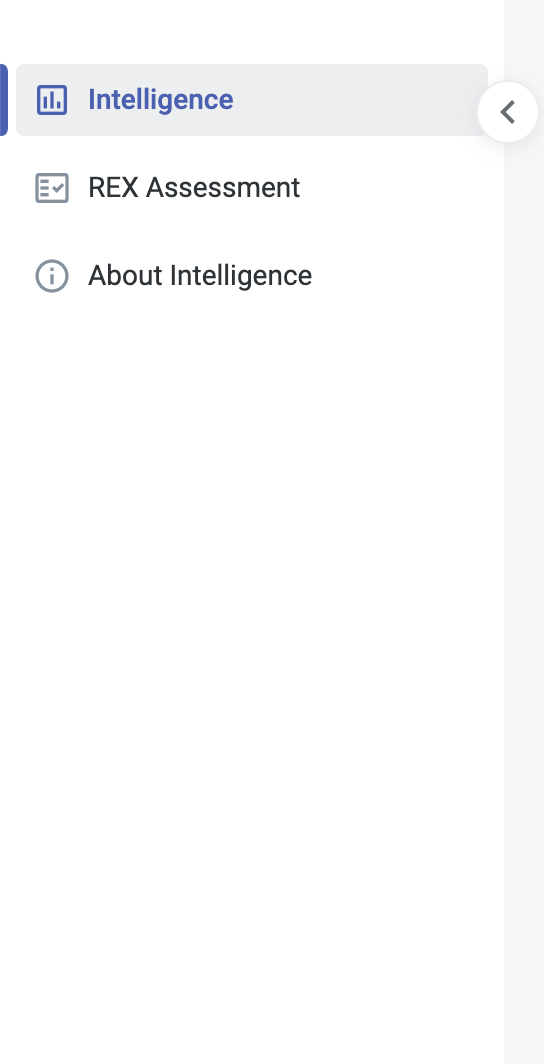
The Left Navigation of Intelligence is organized by:
-
Intelligence - where users go to see the dashboards of results of the REX Assessment
-
Rex Assessment - where users can generate a REX Assessment for their property
-
About Intelligence - where users can learn about Intelligence and see a glossary of terms
Intelligence - Left Navigation Permissions
|
Intelligence Left Navigation |
Roles |
||||||
|---|---|---|---|---|---|---|---|
|
Page |
User Admin |
Manager |
Operator |
Notifier |
Programmer |
Viewer |
Intelligence |
|
Intelligence |
Info only |
Info only |
Info only |
Info only |
Info only |
Info only |
X |
|
REX Assessment |
View only |
X |
View only |
View only |
View only |
View only |
X |
|
About Intelligence |
|
|
|
|
|
|
X |
Marketplace
There is no left navigation for the Marketplace