

Overview
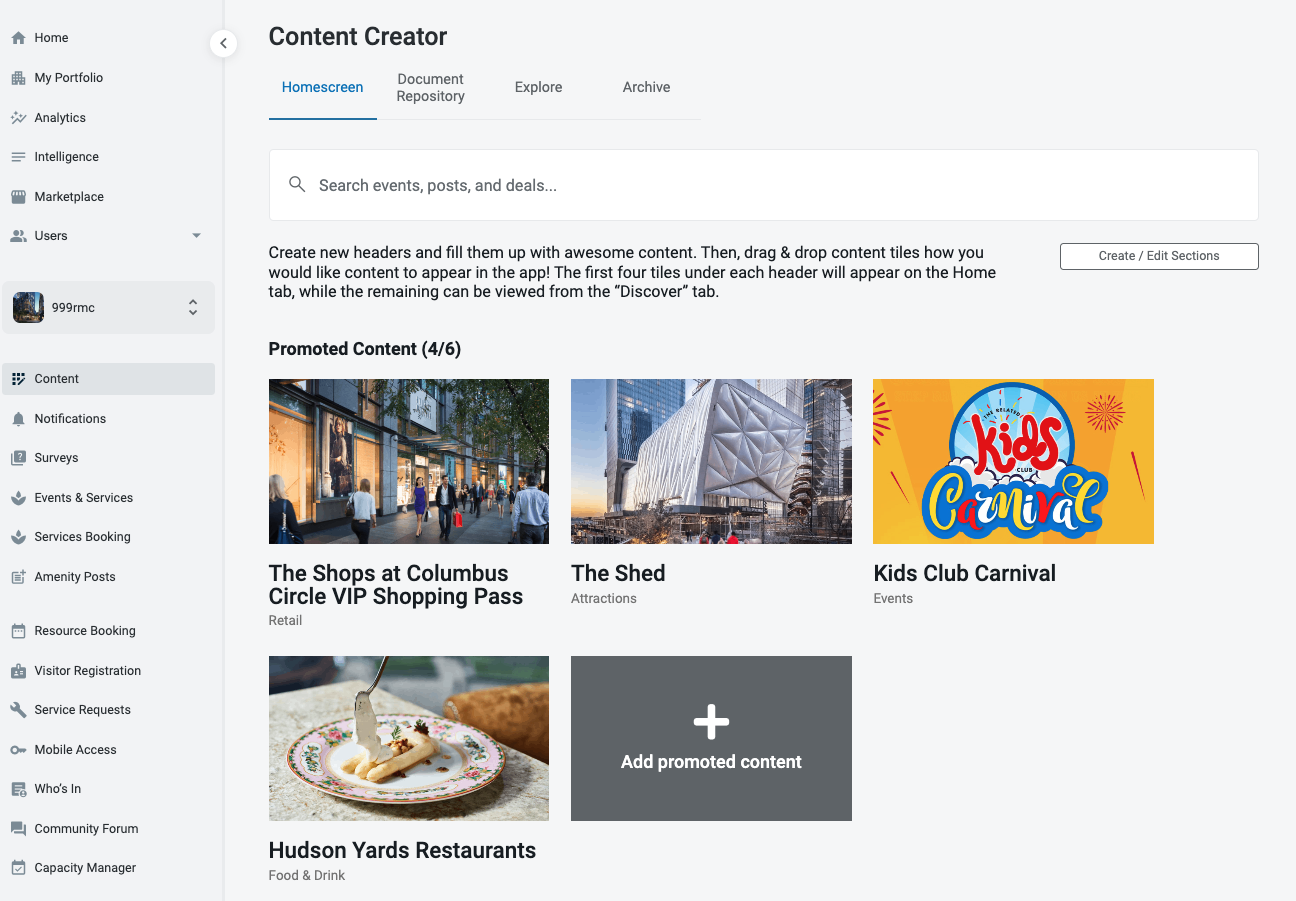
Promoted posts are a way to place content at the top of the XM mobile homepage, ensuring that end-users of the mobile app see the content. HqO supports promoting multiple posts displayed in a carousel, allowing users to swipe through and view the thumbnails and titles of all the content being promoted.
Multiple Promoted Posts
Access:
-
This feature is available exclusively for Internal Programmers and Landlord Programmers.
-
It is view-only for Internal Viewers and Landlord Viewers.
Adding Promoted Posts:
-
Navigate to the relevant section to add promoted posts.
-
Click on the "Add Promoted Post" button to add multiple promoted posts (up to a maximum of 6).
Promoted Post Interaction:
-
Clicking on an existing promoted post will bring up the "Set Promoted Content" modal.
-
Interact with the post to make any necessary changes, such as modifying content.
Limitations:
-
If the maximum limit of 6 promoted posts has been reached:
-
The "Add Promoted Content" button will no longer be visible.
-
The section will display "(6/6)" to indicate that the limit has been reached.
-
Duplicate Content:
-
You cannot add the same promoted post twice (i.e., the same piece of content).