

“Native” Overview
Ability to link from the HqO app to a stock pre-installed app for text messaging, phone calls, or email.
HqO & “Native”
HqO’s Native integrations will allow your team to easily create integrations with a third-party partner.
Mobile Experience
The end-user will be able to access either SMS, Telephone Number, or Email via the “Native” integration.
-
SMS
-
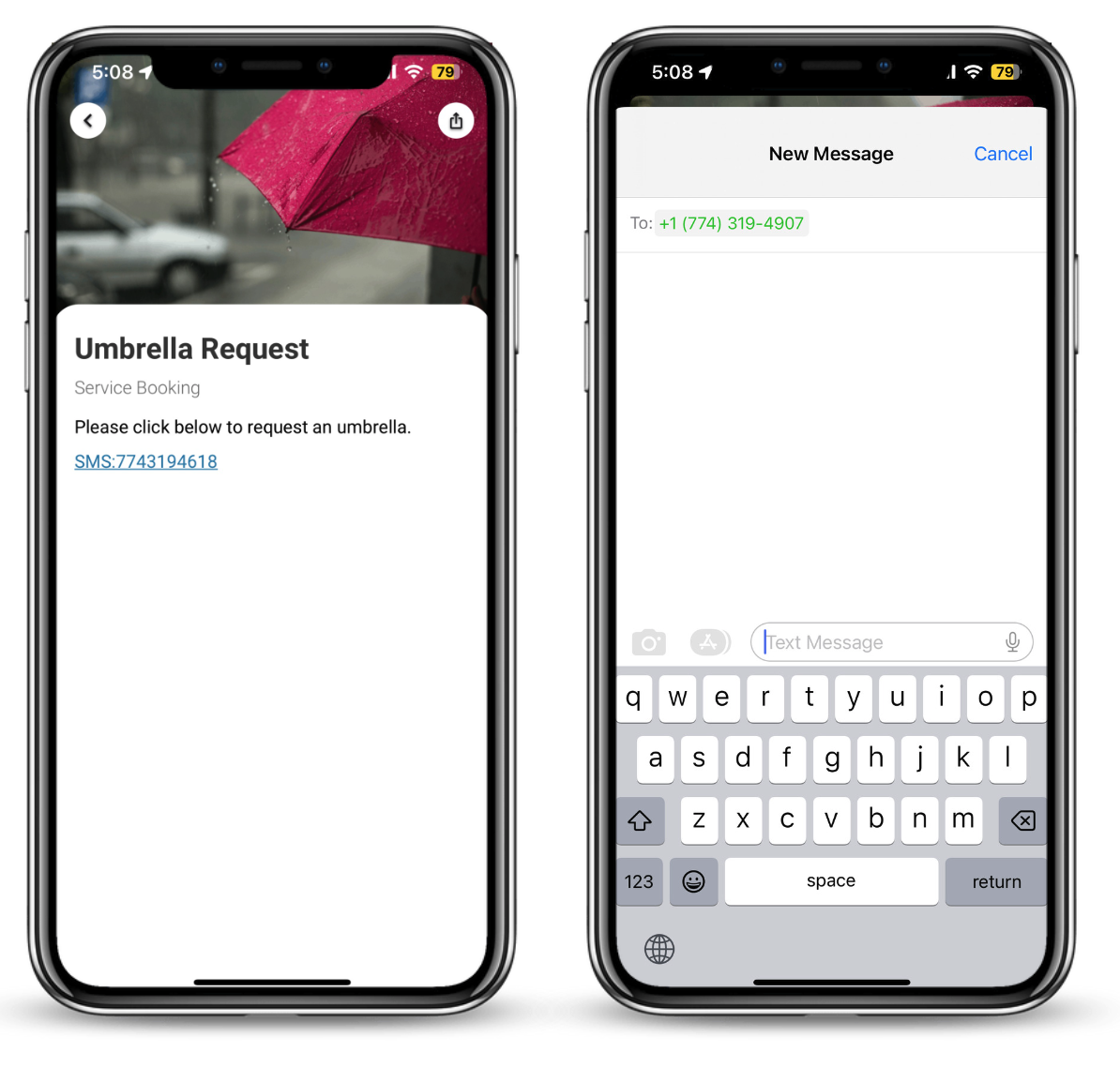
If phone number is in message history, the user is brought to the text conversation within the messaging app.
-
If phone number is not in message history, user is brought to the messages app with a new message ready to compose and the phone number is entered.
-
-
Telephone
-
User is prompted to call the phone number
-
-
Mail-to
-
User is brought to their default email app with the TO: field populated
-
Admin Experience
Admin is able to create “Native” integration as a CTA in content, or with the help of HqO Customer Success it can be added to a Utility Button.
Configuring “Native” Utility Buyttons
To add a “Native” integration, you can include this in a Utility Button or in a CTA of a piece of content.
If you are looking to add a “Native” to a Utility Button, please reach out to your HqO Customer Success Manager.
If you are looking to add a “Native” to a piece of content, please view the instructions Content
The Utility Buttons or CTA will be set up the following way:
-
sms:1234567890
-
tel:911