

Overview
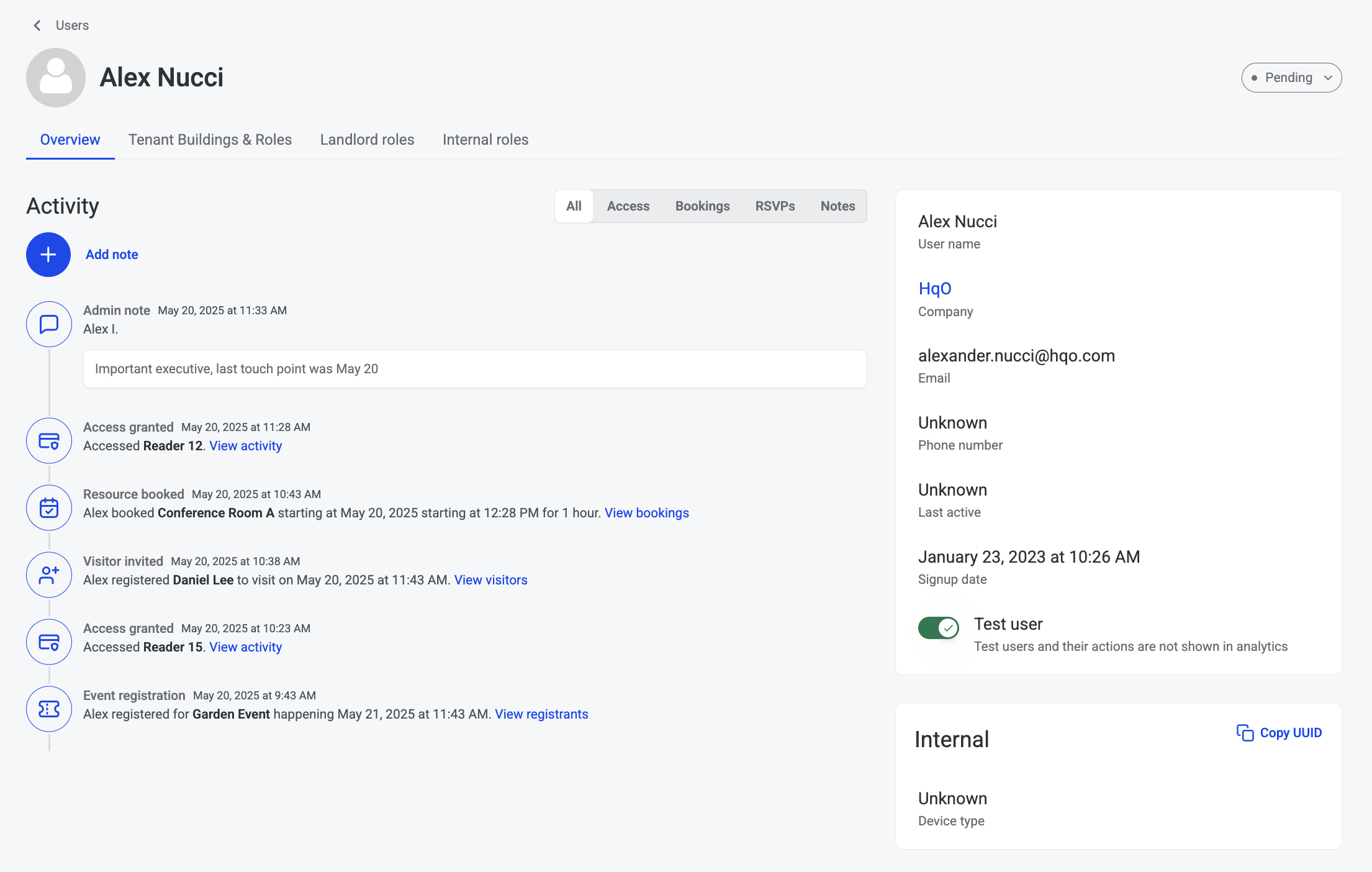
The User Profile Page gives landlord administrators a centralized, structured view of user roles and associations across all buildings in their portfolio. It enables landlords to quickly understand where users are active and what roles they hold at both the global and building levels.
This feature is designed to simplify access management, increase transparency, and reduce the administrative overhead of managing users across multiple buildings and teams.
What This Feature Solves
Managing user access across many properties can be time-consuming and prone to error when role and building information is scattered across multiple screens or systems. The User Profile Page solves this by:
-
Consolidating all user-building associations in one place
-
Displaying roles in a clear hierarchy by scope
-
Providing a consistent, at-a-glance view for admins responsible for access control and user audits
Key Capabilities
Building Associations Overview
View a complete list of every building a user is associated with across all landlord customers. This makes it easy to understand where the user is active and under which ownership.
Role Hierarchy and Clarity
Roles are displayed according to their scope:
-
Tenant roles are grouped under each building association
-
Landlord roles and internal/developer roles appear at the global level
This structure provides a clean, hierarchical view of a user's permissions and responsibilities.
Unified User Detail View
All user information—including names, roles, building associations, and activity—is now visible on a single screen. This eliminates the need to switch between pages or perform manual cross-referencing to understand a user's scope of access.
Editable User Name
Landlord administrators can update a user’s name directly from the profile page if needed for clarity or corrections.
Landlord Comments
Admins can leave comments on a user’s profile. These notes are visible to other landlord team members and can be used for context, status updates, or reminders (e.g., “Confirmed onboarding completed with this tenant”).
Lightweight Activity Stream
While not a full activity log, the profile includes a lightweight activity history, helping admins track recent user actions or changes without leaving the page.
Benefits for Admins
-
Faster Audits: Easily validate who has access to what, reducing the need for manual cross-referencing.
-
Improved Transparency: All user-role relationships are visible in a clear hierarchy.
-
Better Communication: Shared comments improve coordination between members of the landlord's team.
-
Reduced Complexity: A single point of truth for user-role and building associations streamlines decision-making.