

Features
The following features are available for Visitor Management
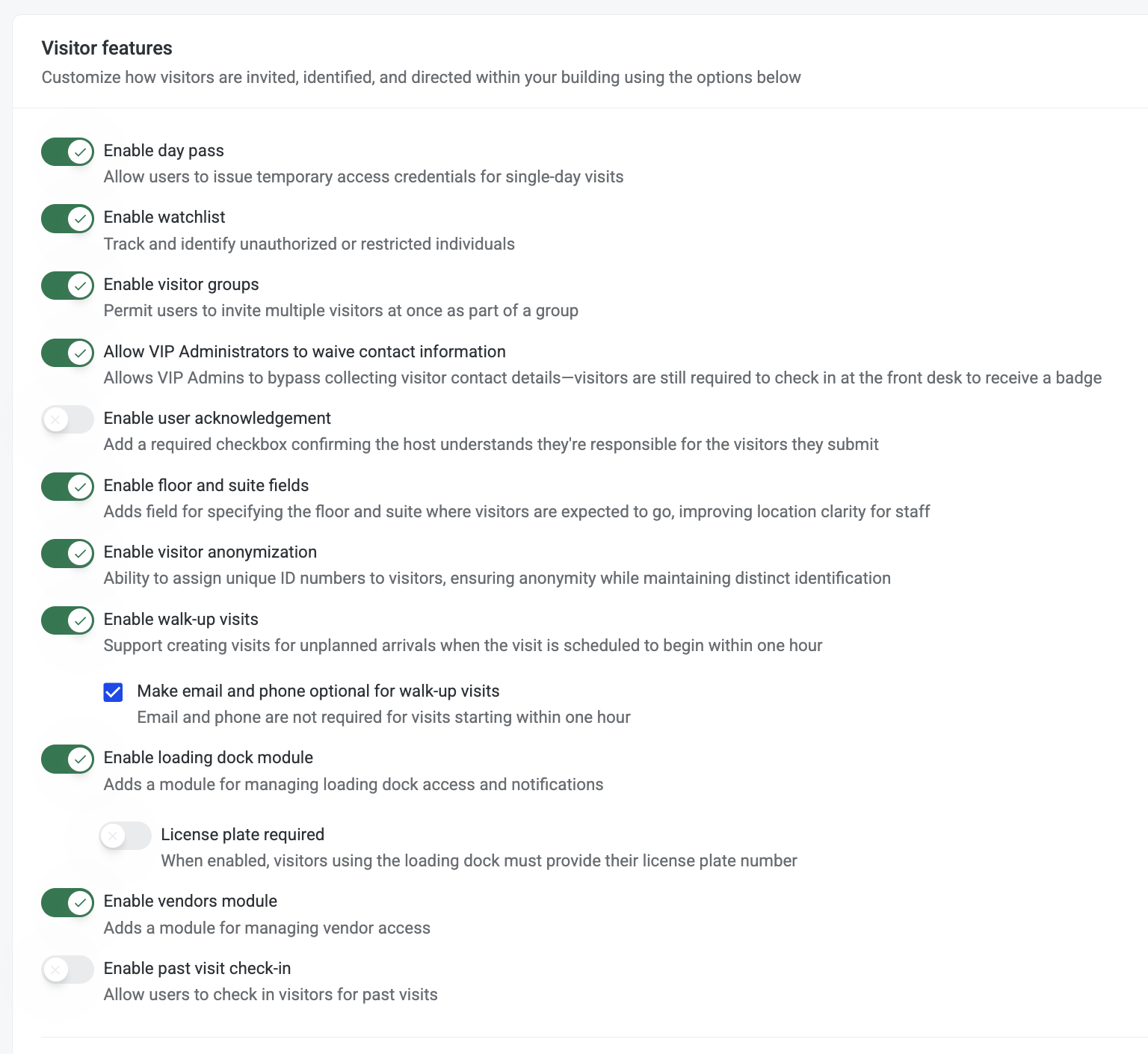
Enable day pass
Turn on day pass
Enable watchlist
Turn on watchlist
Enable visitor groups
Turn on visitor groups
Allow VIP Administrators to waive contact information
These visitors must stop at the desk to receive their badge
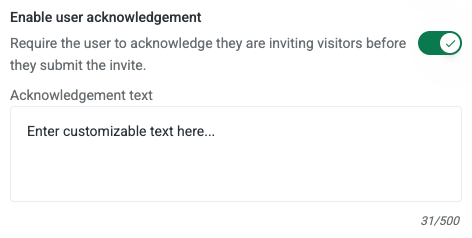
Enable user acknowledgement
Require the user to acknowledge they are inviting visitors before they submit the invite.
Enable floor and suite fields
Turn on floor and suite fields
Enable visitor anonymization
All tenants to opt into visitor anonymization. Ability to assigned unique ID numbers to visitors, ensureing anoymity while maintating distinct identificaiton
Enable walk-up visits
Support creating visits for unplanned arrivals when the visit is scheduled to begin within one hour.
When enabled, the Building Guard role gains the ability to create visits — but only for arrivals starting within 1 hour. Security Admins and Tenant Admins can create visits at any time regardless of this setting.
Make email and phone optional for walk-up visits When this sub-setting is enabled, email and phone are not required for visits starting within one hour. Full contact fields are still required for future-dated visits.
Note: If all property staff hold the Security Admin role, walk-up is not required for visit creation — but may still be useful if you want to make contact fields optional for same-day visits.

Enable loading dock
Adds a module to manage loading dock access and notifications
https://helphub.hqo.com/help/loading-dock
Enable vendor module
Adds a module for managing vendor access
https://helphub.hqo.com/help/hqo-vendor-management-coi
Enable past visit check-in
Allow users to check in visitors for past visits
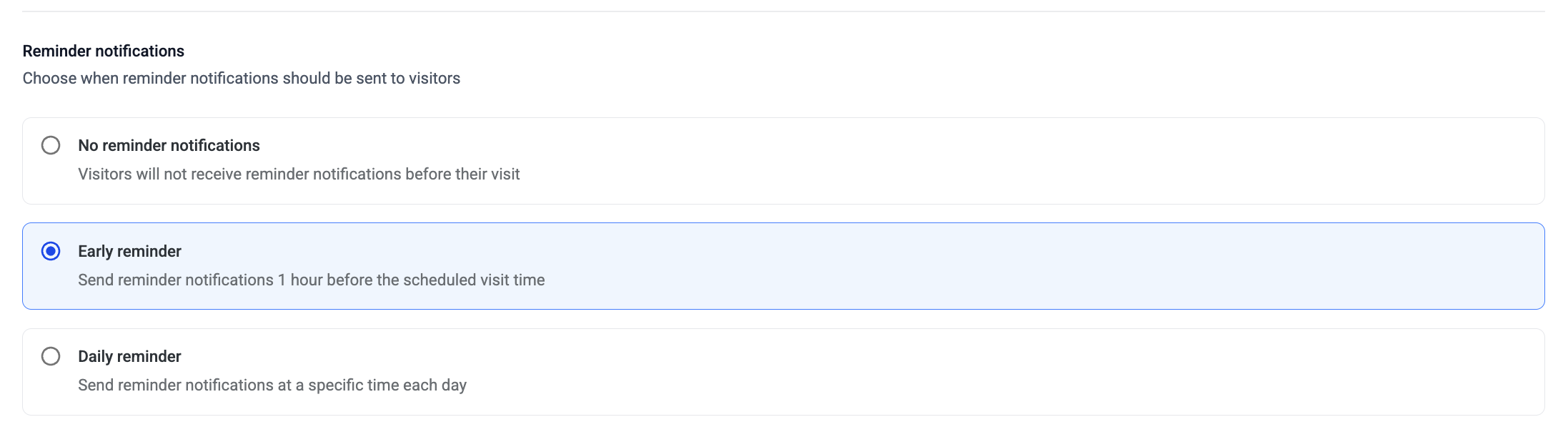
Reminder notifications
Choose when reminder notifications should be sent to visitors.
-
No reminder notifications — Visitors will not receive reminder notifications before their visit. Use when visitors don't need visitor passes.
-
Early reminder — Send reminder notifications 1 hour before the scheduled visit time. Use for standard office buildings where visitors are external and may need a prompt.
-
Daily reminder — Send reminder notifications at a specific time each day (e.g., 8:00 AM). If a visit is scheduled before the set time, the reminder sends 1 hour before instead. Use for high-volume lobbies or multi-tenant buildings where security wants all visitors reminded at once.
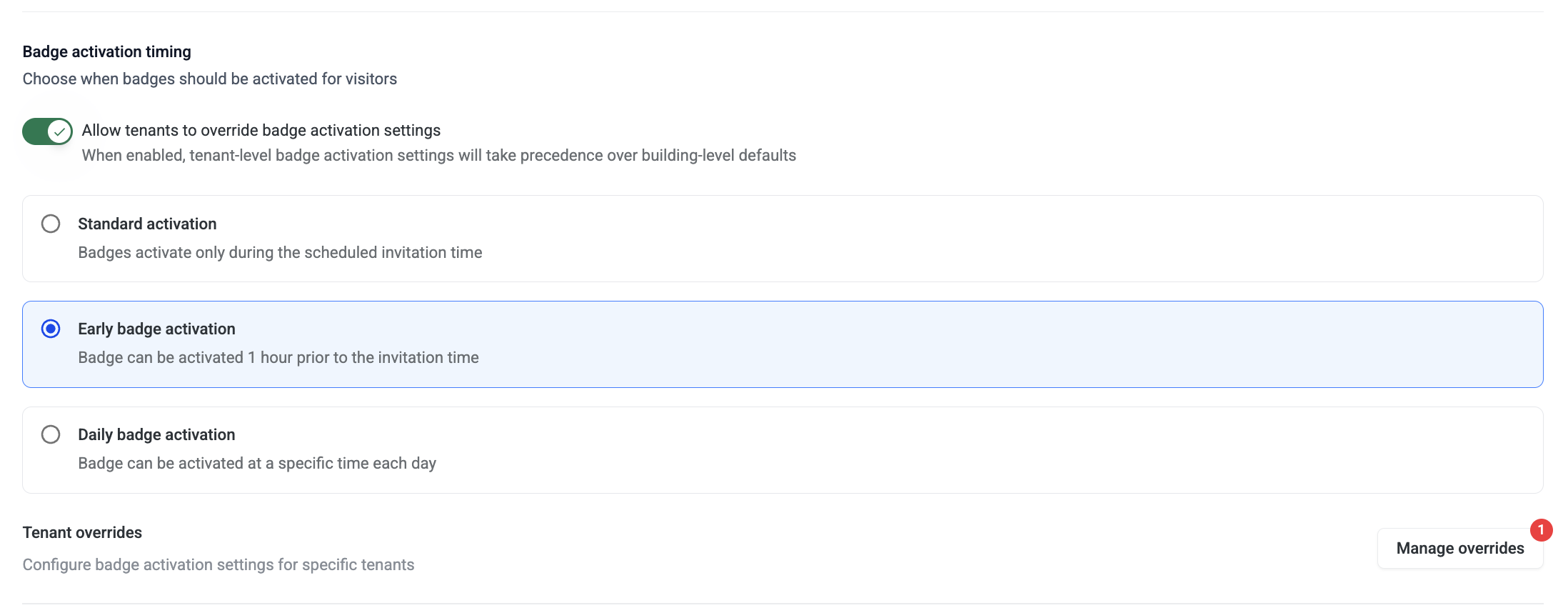
Badge activation timing
Choose when badges should be activated for visitors.
-
Standard activation — Badges activate only during the scheduled invitation time. Use when strict access control is required and visitors should not be able to enter outside their scheduled window.
-
Early badge activation — Badge can be activated 1 hour prior to the invitation time. Use when you want visitors to have a buffer for early arrivals. Reduces front-desk pressure when visitors arrive slightly ahead of schedule.
-
Daily badge activation — Badge can be activated at a specific time each day. Use for flexible access buildings, or when you want all visitor badges to go live at the same moment each day.
Badge Activation can be overridden per tenant. Buildings with mixed security profiles can set up tenant overrides so each tenant gets the right timing for their needs. When enabled, tenant-level badge activation settings will take precedence over building-level defaults.
SMS / Text notifications
Visitor invite and reminder notifications can be sent via text in addition to — or instead of — email, if a visitor phone number is provided.
SMS is not a self-serve setting. It must be enabled per building by the HqO team.
Please contact your HqO content to enable.