

StripeConnect Overview
Stripe Express is an online platform that is used to track and manage payments from a connected Stripe account. Your Stripe Express account will be connected with HqO’s Stripe Connect account and this is how you will transfer funds from a service in your HqO app to your bank account.
HqO & StripeConnect
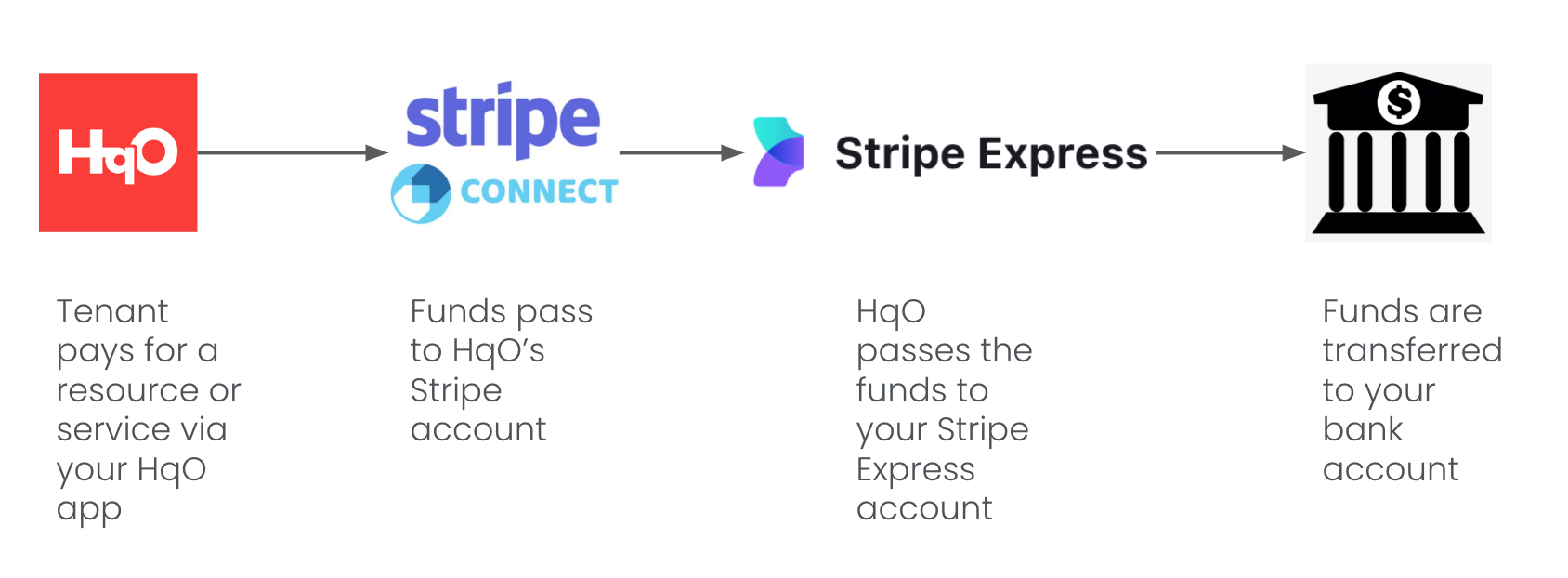
HqO uses Stripe to process payments from tenants and to pass funds to our customers. When a tenant pays for a resource or service through the HqO app, payments are processed through HqO’s Stripe account. HqO then passes the funds to you through your Stripe Express account.
Mobile Experience
-
User pays for a resource or service via your HqO app
-
Funds pass to HqO’s Stripe account and HqO will pass the funds to customer’s Stripe Express account
-
Funds are transferred to your customer’s bank account is connected to the customer’s Stripe Express account
Configuring StripeConnect
Setting Up Stripe Express
Step One: Open the link sent by HqO and fill out form.
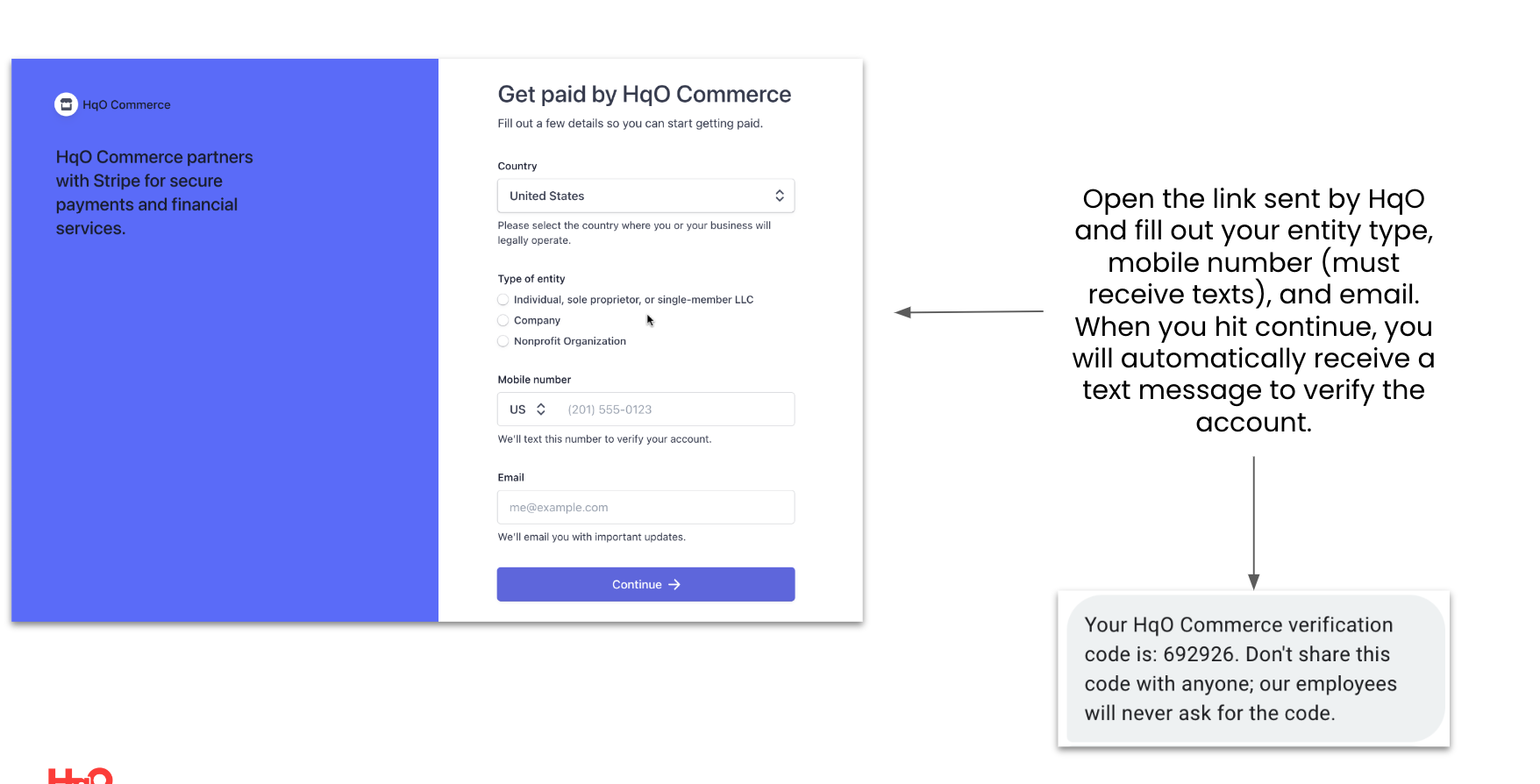
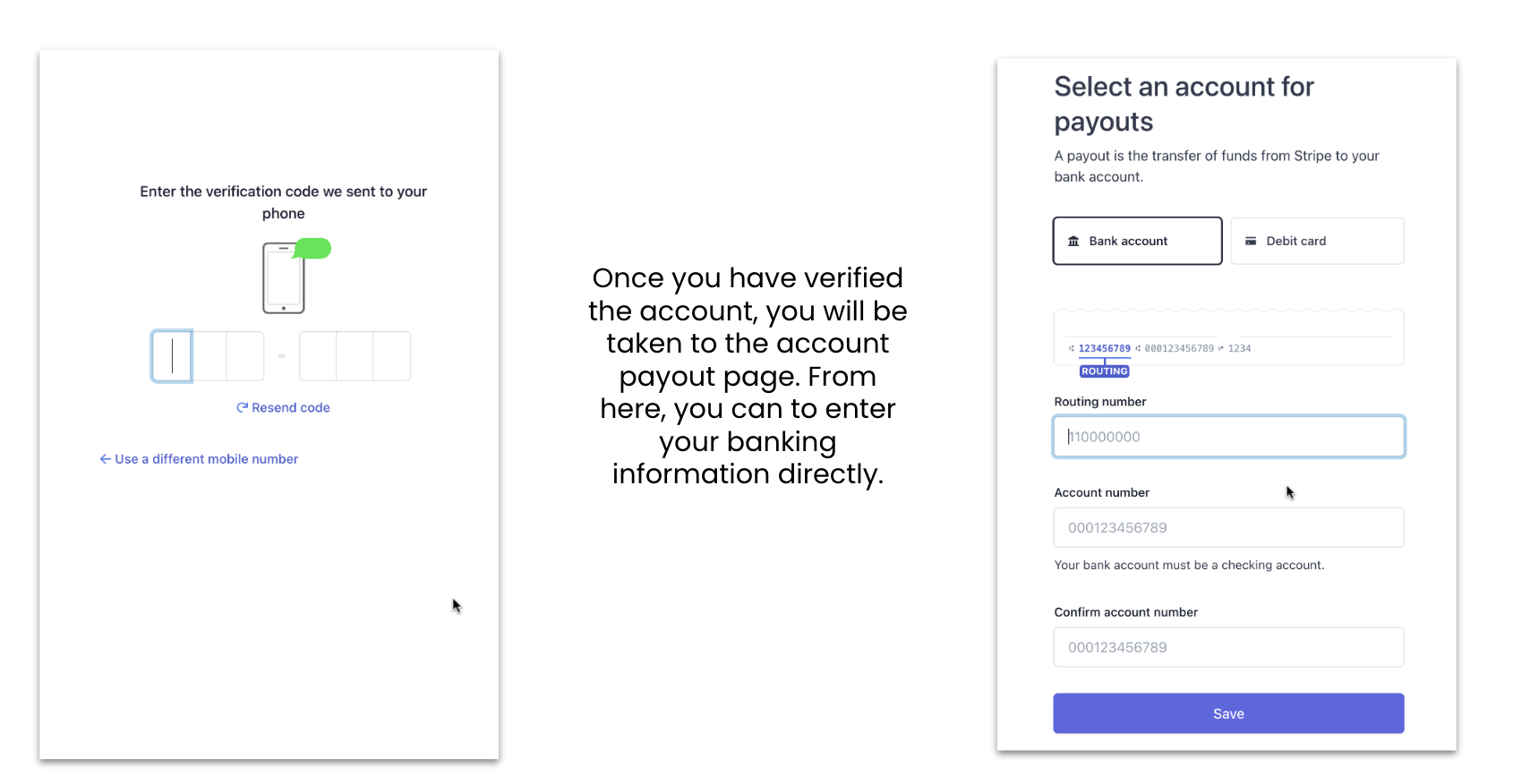
Step Two: Enter banking info
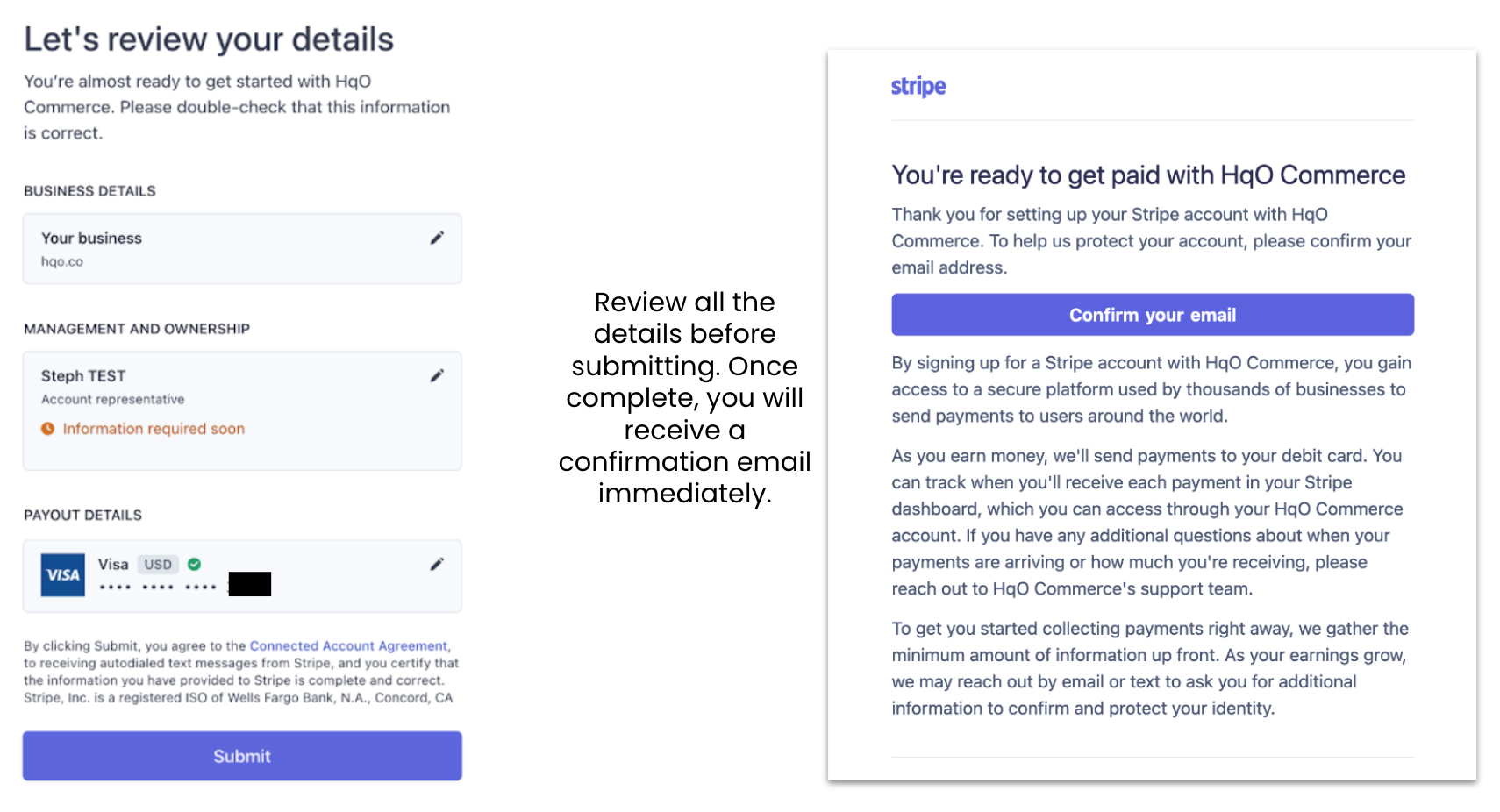
Step Three: Review Details
Step Four: Invite Team Members
-
Login to Stripe Connect Express
-
Select the person icon in the upper right hand corner
-
Under Professional Details, select your display name
-
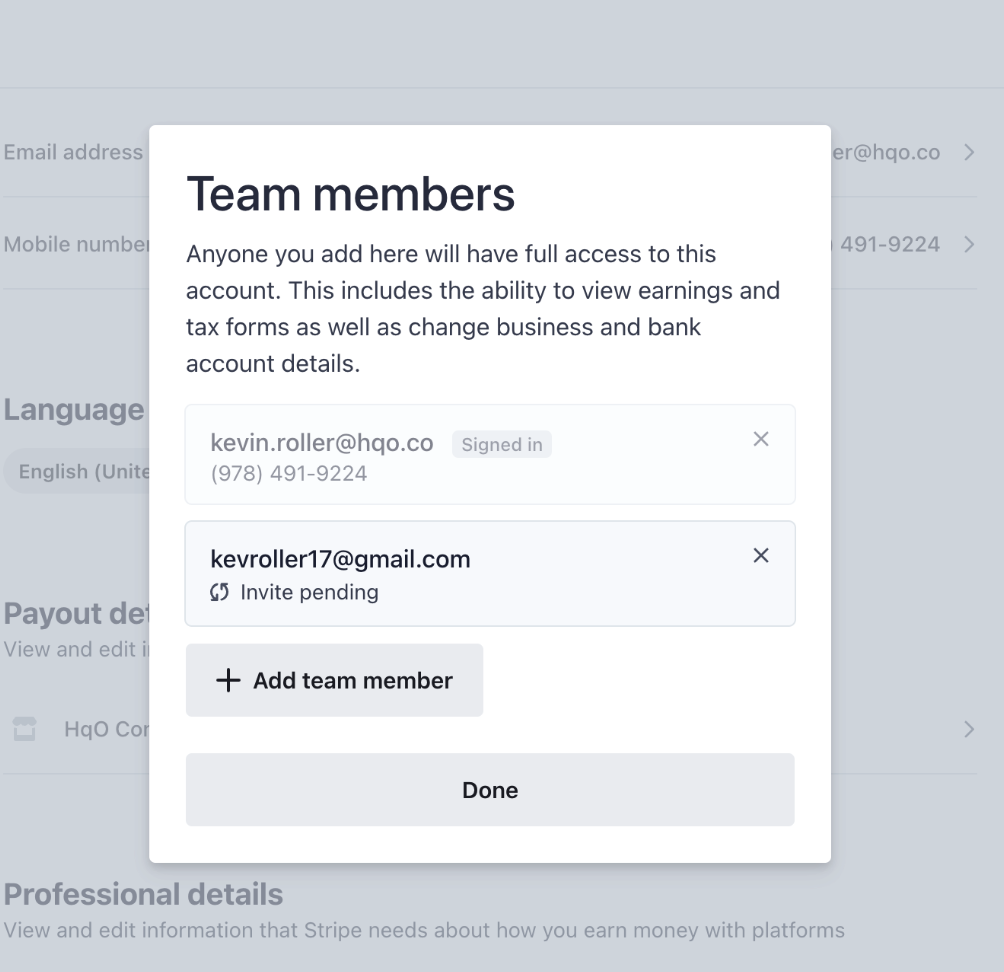
Scroll to the bottom. Under Team Members, select Invite and Remove
-
In the new window, select Add Team Member
-
Enter the your team member’s email address and select Invite
-
User will receive an email allowing them to verify and add a phone number
Invitations and permissions can be removed from this page as well
Using Stripe Express
Overview
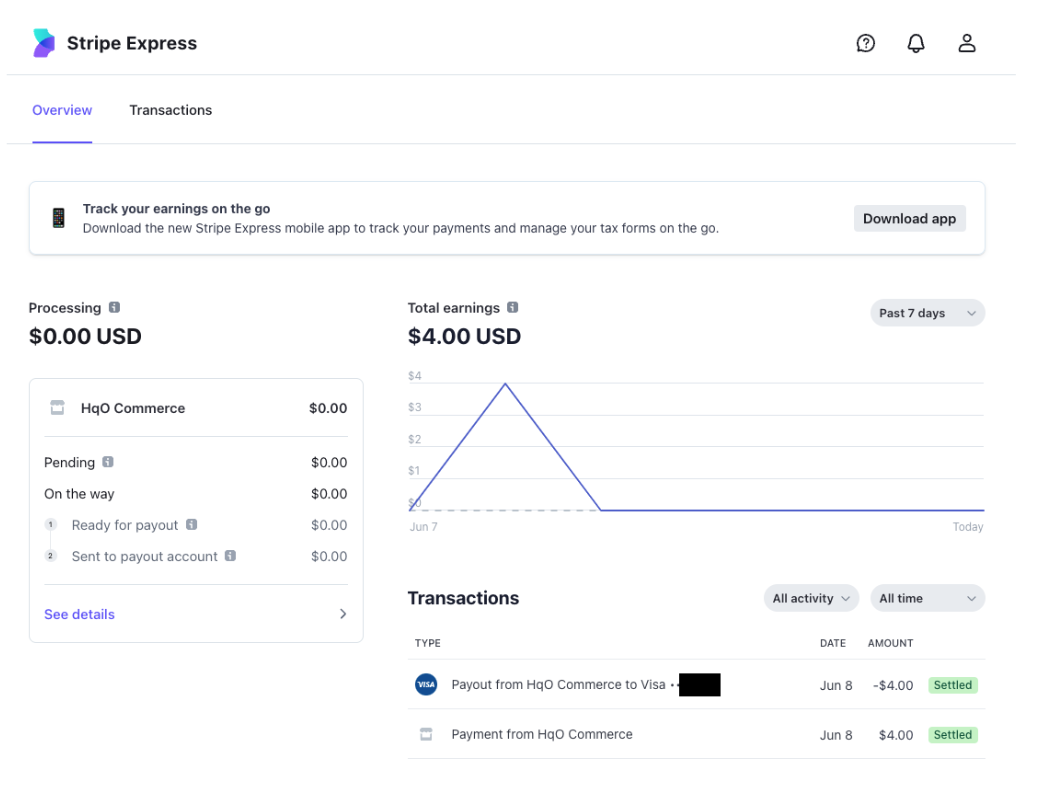
From the Overview tab, you can:
-
Track total earnings over time
-
Review payments received from HqO
-
Track payouts from Stripe Express to you bank account
-
Review upcoming payouts
Transactions
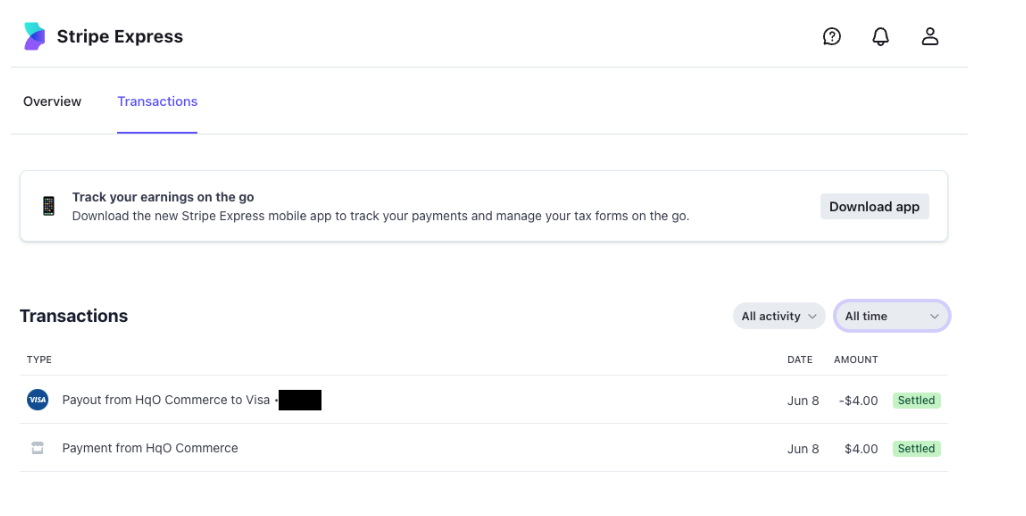
From the Transactions tab, you can:
-
Review a list of all payouts over time
-
Limit activity to the last day, last seven days, last three weeks, last four months, last year, or all time
-
Limit activity to payouts to your bank account only
Settings
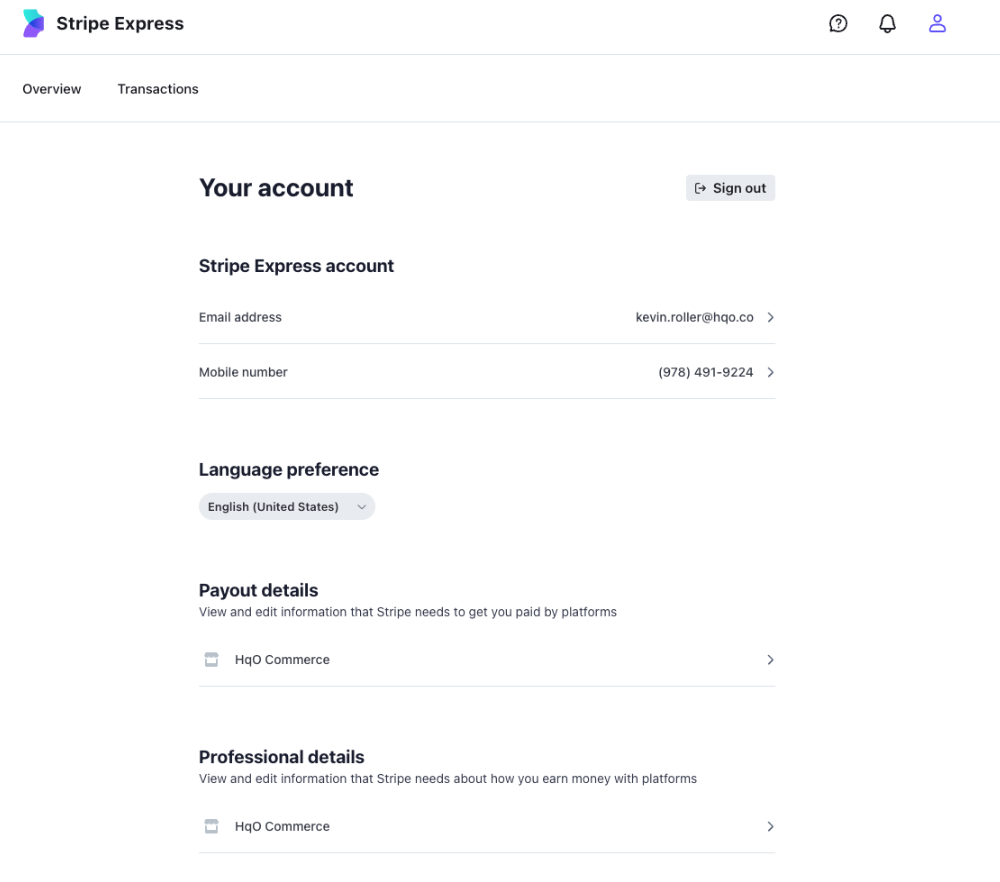
From Settings (select the user icon at the top of the page), you can:
-
Update the email address or phone number associated with the account
-
Update language preferences
-
View and edit payout information, specifically to update bank account information
-
View and edit professional details
Common Questions
When does HqO transfer funds from their Stripe account to my Stripe Express?
This depends on the resource and/or service being utilized, but in most cases you should see funds in your Stripe Express account immediately after a purchase via the HqO app.
How long does it take for funds to go from Stripe Express to my bank account?
This depends on your location. In the United States, a payout from Stripe Express to your bank account may take two days. In other countries, payouts can take up to three days.
My Stripe Express link expired and I can’t access. What should I do?
Reach out to your HqO contact and they will have a new link issued. Stripe Express links expire after seven days.