

Terminology & Best Practices
Terminology
-
Contracts = Memberships
-
Contracts must be associated with classes to display in the app
-
-
Pricing options - Tiers of pricing packages assigned to contracts and classes
Best Practices
Suggested best practices for a successful integration with MBO
-
All purchases will need to be via contracts. We cannot collect payments for individual classes. If the team wants to collect payment for classes they can sell a monthly membership with class access or class packs.
-
We do not support PAID appointments or classes
-
For members to be able to book classes in the app: The pricing option assigned to a class must match the pricing option in the member's contract. When setting up pricing options and classes make sure it aligns with the contracts offered to tenants.
-
Make sure the contracts are set to sell online
-
Make sure integrated payments are set up even if memberships are free
-
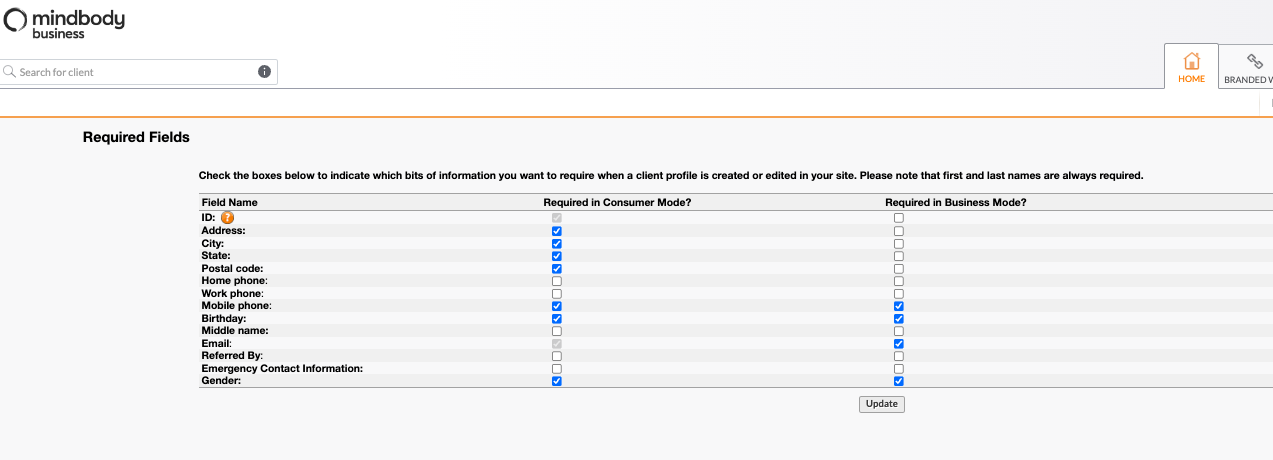
We suggest not requiring only certain inputs for gender in the form. To update this, see here: Gender Configuration Settings to review how to make the update and disable requiring gender preferences. For the rest of the membership sign up information collected and flow, please see the attached deck.
FAQs
What if I have another MindBody account? & Can I update my email address?
-
Multiple memberships: MindBody can handle multiple memberships at once, if the user originally enrolled in a membership elsewhere with their personal email address they can do the following:
-
Option 1: They can consolidate into one account by updating their personal membership's account to their corporate address. If the the user wants to update their email address, they should follow the steps here: https://support.mindbodyonline.com/s/article/I-entered-the-wrong-email-address-can-I-change-it?language=en_US. They cannot consolidate the other way around (see final bullet in this section)
-
Option 2: Have two separate logins - one for their personal gym and one for the gym in the building. When signed into the HqO app, HqO will automatically know their membership status based on their corporate email address.
-
-
The user MUST sign up for their corporate membership with their corporate email address or when they go into the app the app will not recognize their membership. If the user originally signed up for their building’s gym with their personal address at first the should follow the steps here: https://support.mindbodyonline.com/s/article/I-entered-the-wrong-email-address-can-I-change-it?language=en_US to change it.
Why do I have to put in a credit card to have a free membership/contract?
-
Mindbody’s API requires that any contract with MindBody via the app will collect credit card information. Ensure that integrated payments are set up when enabling even free memberships or you will receive an error.
Workaround: Link out to the website and users can get free memberships without a credit card or they can sign up at the front desk of the gym.
What fields can you require when clients sign up via the app?
-
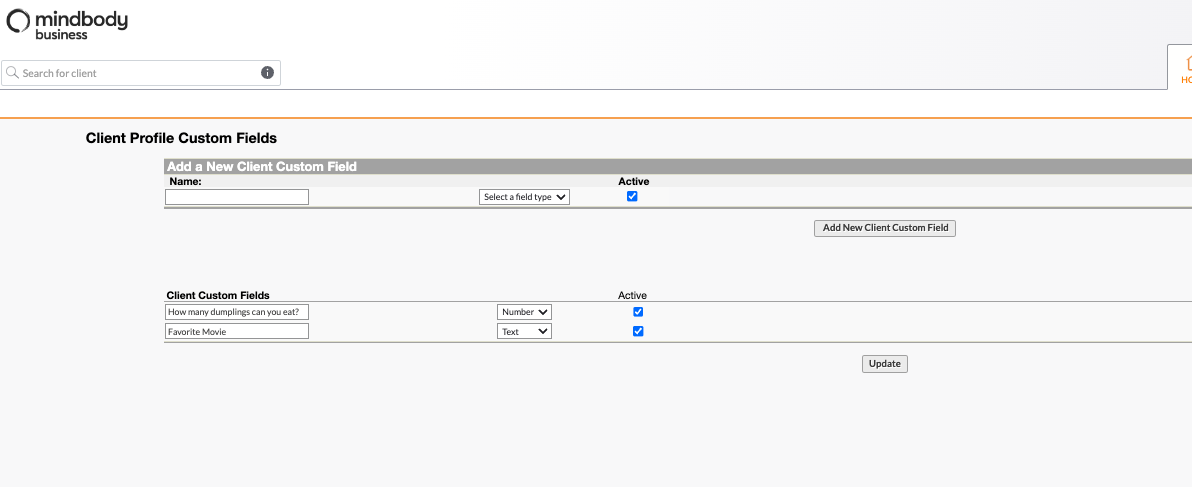
We pull in the registration fields from MindBody, and can also support custom fields that are set up here: Custom Fields & Custom Registration Fields (Sign into MBO before clicking on these links)
Is there any type of reporting in the app that can show information on client info that was used to create an account in the app?
-
We only pull in information from Mindbody; we don't store Mindbody data in HqO. The only data we collect is regarding clicks and engagement in the app, but all Mindbody memberships, registration, and class bookings will still remain in Mindbody.
Will members automatically be added to our ACS? When using door access to get into the amenity center, will that also check users in for a service in Mindbody?
-
No, access and Mindbody memberships are not integrated. If Mindbody integrates with the access provider this could be possible, but we recommend that your team approves the access card once the user has become a member and turn the access off if they are no longer a member, much like a bike storage room.